Last Updated :
April 24, 2025
Supriya Sarkar

AI-Powered Presentations: How to write prompts for expert-level decks

Unlock the secrets to stunning presentations with smart prompts for Astrid, Prezent’s AI—turn basic slides into personalized, engaging stories.
How to write prompts for expert-level decks

AI is changing the game for content creation—helping teams generate digital assets, sharpen messaging, and build stunning presentations in seconds. But there’s one catch: AI is only as good as the prompts you give it. If you want presentations that look polished and professional (not generic or off-base), you need to know how to steer the technology the right way.

The key? Precision. The way you frame your prompt determines whether AI delivers something insightful and engaging or just another forgettable deck. The best results come from clear instructions, smart structuring, and the right level of detail.

So, how do you make AI work for you? It starts with knowing exactly what to ask for. In this article, we’ll break it down and give you specific examples for how to write effective prompts for Prezent’s AI, Astrid.

Mastering AI prompts to create effective presentations

Before we dive into how that works, let’s cover the basics of writing a great prompt.

Think of prompts as your instructions to AI—the more precise you are, the better the AI understands what you need. A well-structured prompt ensures the AI delivers a presentation that speaks to your audience, meets your objectives, and saves you time.

The core structure of a prompt

Most AI-powered presentation tools follow this fundamental framework:

  1. Define the presentation type – What kind of presentation do you need? A pitch deck, sales proposal, investor report, or training session? The format dictates the slide structure and flow.
  2. Specify the topic – Be as clear and specific as possible. Instead of a vague “AI in business,” try “How AI is transforming B2B sales strategies.” The more focused your topic, the more relevant your slides.
  3. Identify your audience – Who will be viewing this presentation? Whether it’s executives, clients, investors, or employees, tailoring content to their interests and expertise makes the message more impactful.
  4. Include key specifications – Need specific data charts, testimonials, case studies, or industry insights? Adding these details refines the output and ensures the AI generates exactly what you need.

How Prezent takes AI-generated presentations to the next level

Prezent isn’t just another AI business presentation software—it takes standard AI-generated slides to the next level by adding a contextual layer that makes your presentations more relevant, insightful, and aligned with your goals.

At the heart of Prezent is Astrid, the first-of-its-kind contextually intelligent AI for enterprise business presentations. As a 3-in-1 presentation agent, Astrid transforms presentations for busy professionals by acting as:

  • A virtual management consultant to analyze their files and prompts to create compelling presentations.
  • A virtual communication expert to create effective narratives and executive summaries.
  • A virtual brand designer to transform messy, disjointed decks into 100% brand-aligned presentations.

To create truly tailored and impactful slides, Astrid focuses on four key elements in every prompt:

  • Business context
    This is the foundation. When you provide details like the business challenge, topic, or objective, Astrid uses that information to shape a focused narrative, making sure every slide speaks to the core issue or goal you’re addressing.
  • Presentation length
    Whether you mention the number of slides or the length of your meeting, Astrid uses that information to pace the flow of the presentation. This ensures that your story fits the time you have—no rushed endings or overloaded slides.
  • Template preference
    Include your preferred template or theme, and Astrid will instantly apply the correct brand style—layouts, colors, fonts, and all. It saves you hours of formatting while keeping your presentation polished and on-brand.
  • Target audience
    This is where the magic really happens. Just share the name of the audience, and Astrid will adjust tone, structure, and messaging to match their expectations and decision-making style.

By combining content intelligence, communication strategy, and design automation, Prezent ensures that your AI-generated presentations are not just visually stunning but also insightful, compelling, and business-ready.

How to write good prompts for Astrid AI

Astrid doesn’t just generate presentations—it also helps refine your prompts to make sure you get the best possible results. The AI provides real-time guidance, helping you craft more precise and impactful instructions.

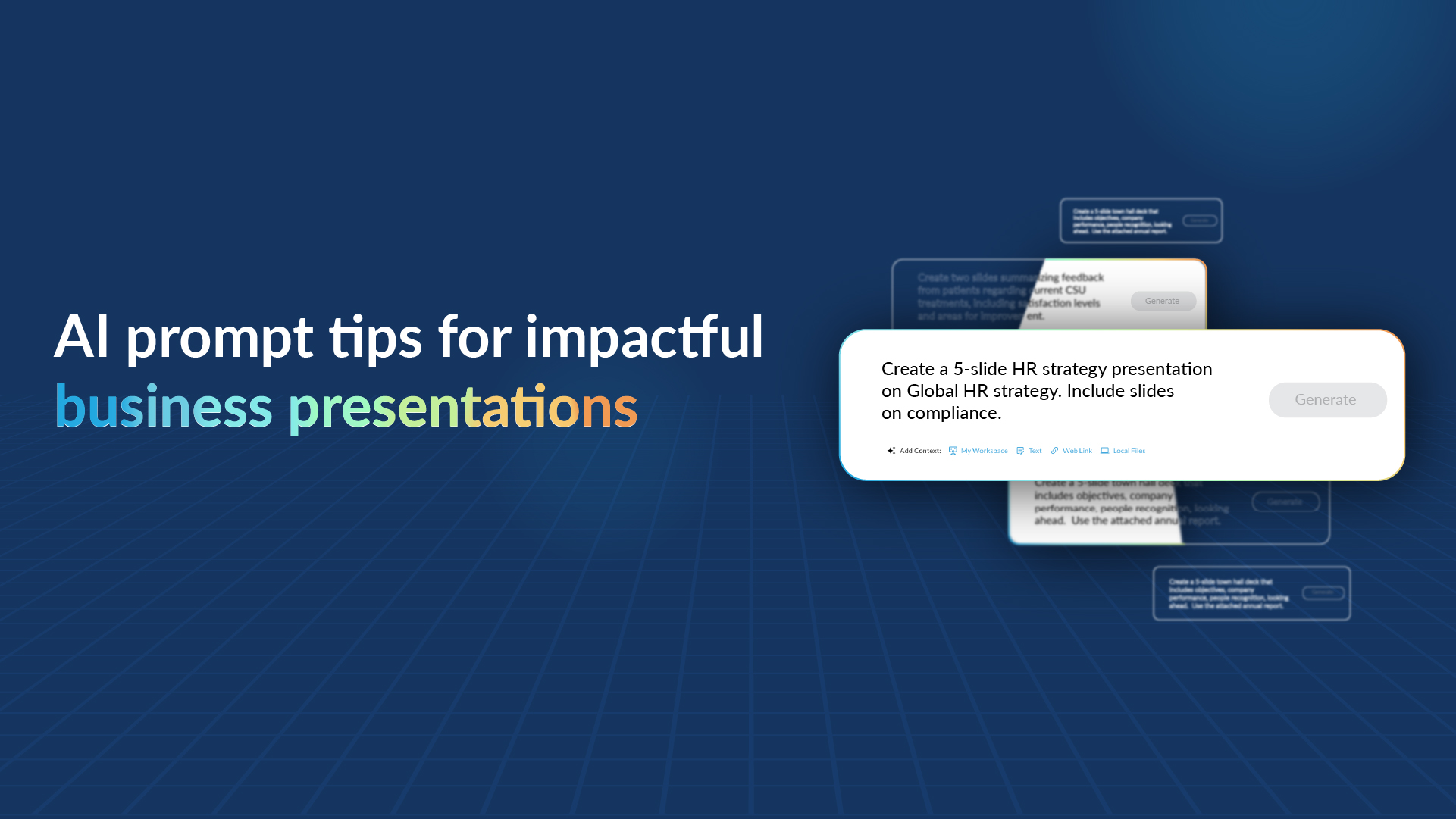
Tip 1: Start with a basic prompt to generate a presentation

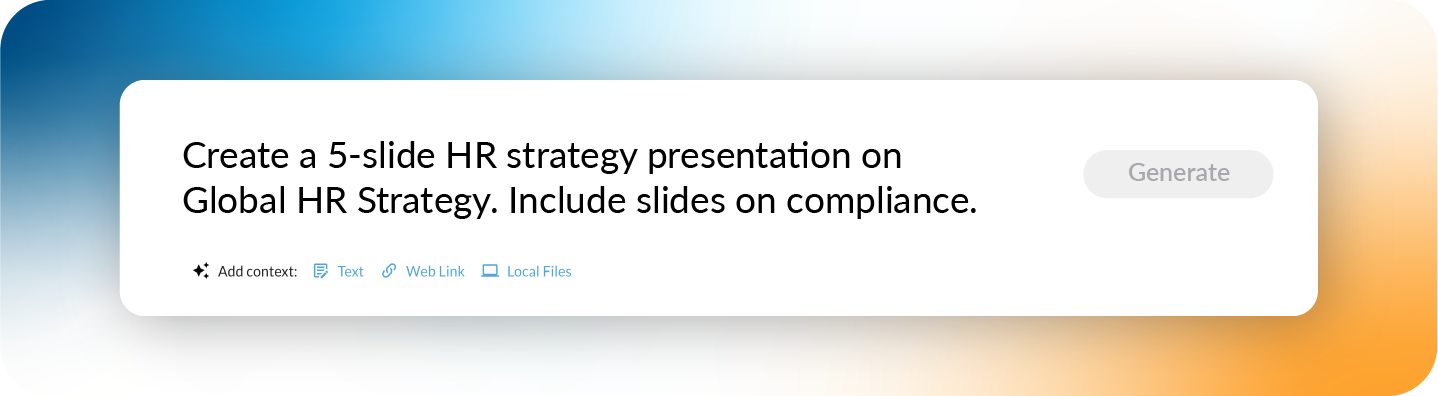
Every great presentation starts with a clear prompt. You can begin with something simple like:

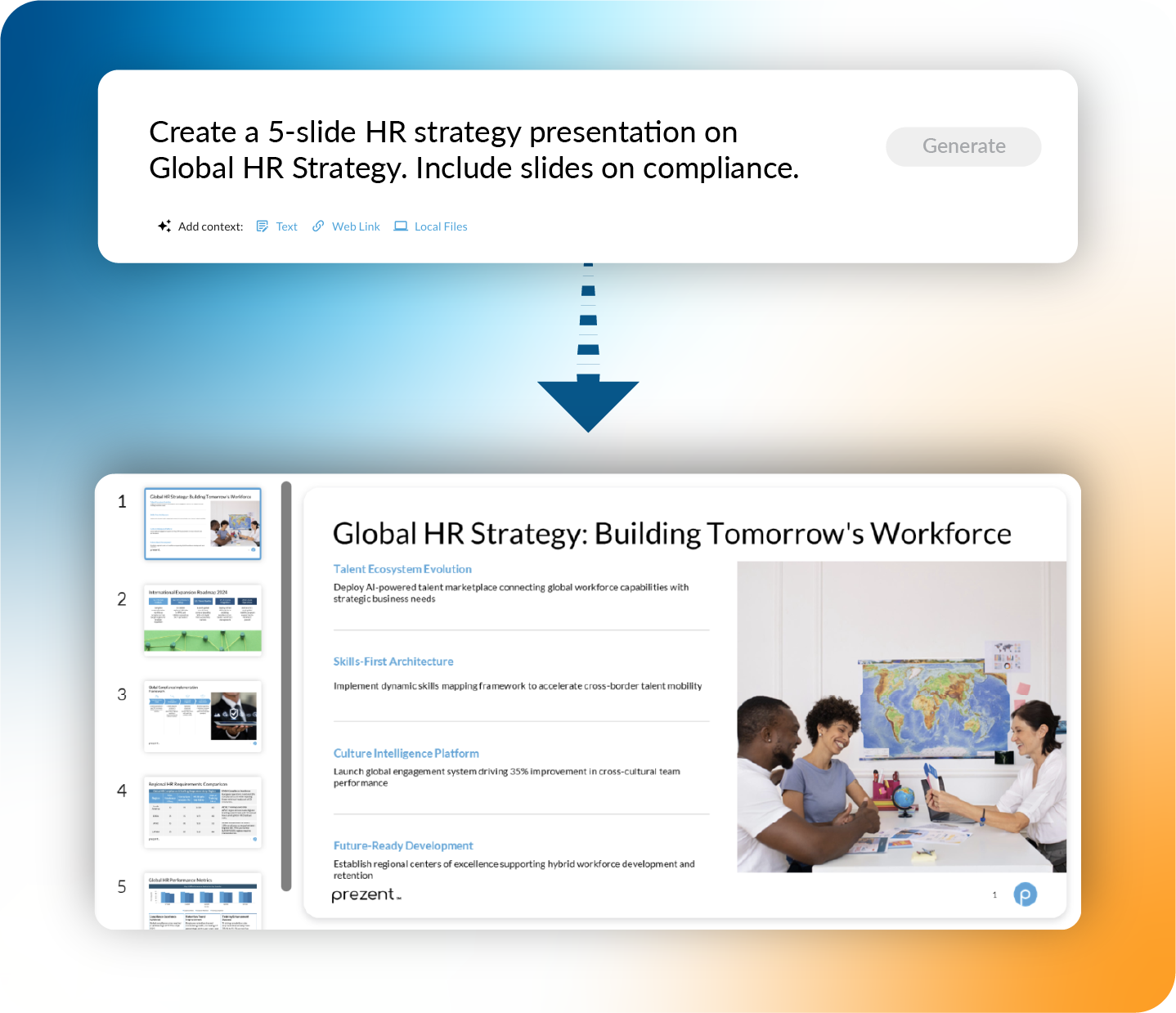
"Create a 5-slide HR strategy presentation on Global HR Strategy. Include slides on compliance."

This will generate a basic deck, giving you a solid starting point to work with.

To take your AI-generated presentation from good to exceptional, you can provide additional context that helps Astrid tailor the output to your specific needs. Here’s how:

  1. Text inputs – Add specific details to guide the content. Example: Instead of just requesting a “Marketing strategy presentation,” specify “A 7-slide marketing strategy presentation focused on customer retention for B2B SaaS.”
  2. Web links – Include relevant external resources to ensure the AI incorporates the latest data, trends, or insights from your preferred sources.
  3. Documents – Upload reports, research papers, or brand guidelines so Astrid can align the presentation with your company’s messaging, branding, and industry-specific terminology.

Tip 2: Use Astrid’s pro tips to refine your prompts and slides

Astrid provides granular-level pro tips to help you refine your prompt across three key areas:

1. Slide-level refinement: Customize individual slides by specifying:

  • Visual elements (graphs, layouts, images)
  • Number of nodes per slide
  • Preferred slide templates

2. Presentation-level refinement: Guide the overall structure by:

  • Defining slide titles and sequence
  • Indicating the meeting duration so Astrid can adjust the content length accordingly

3. Context-level refinement: Make your presentation more aligned by:

  • Uploading reports, research data, or brand guidelines.
  • Ensuring AI-generated content follows industry-specific language and key messaging.

Bonus: Astrid also lets you select an industry, so it automatically tailors the presentation using sector-specific terminology, making your content more relevant and impactful for your audience.

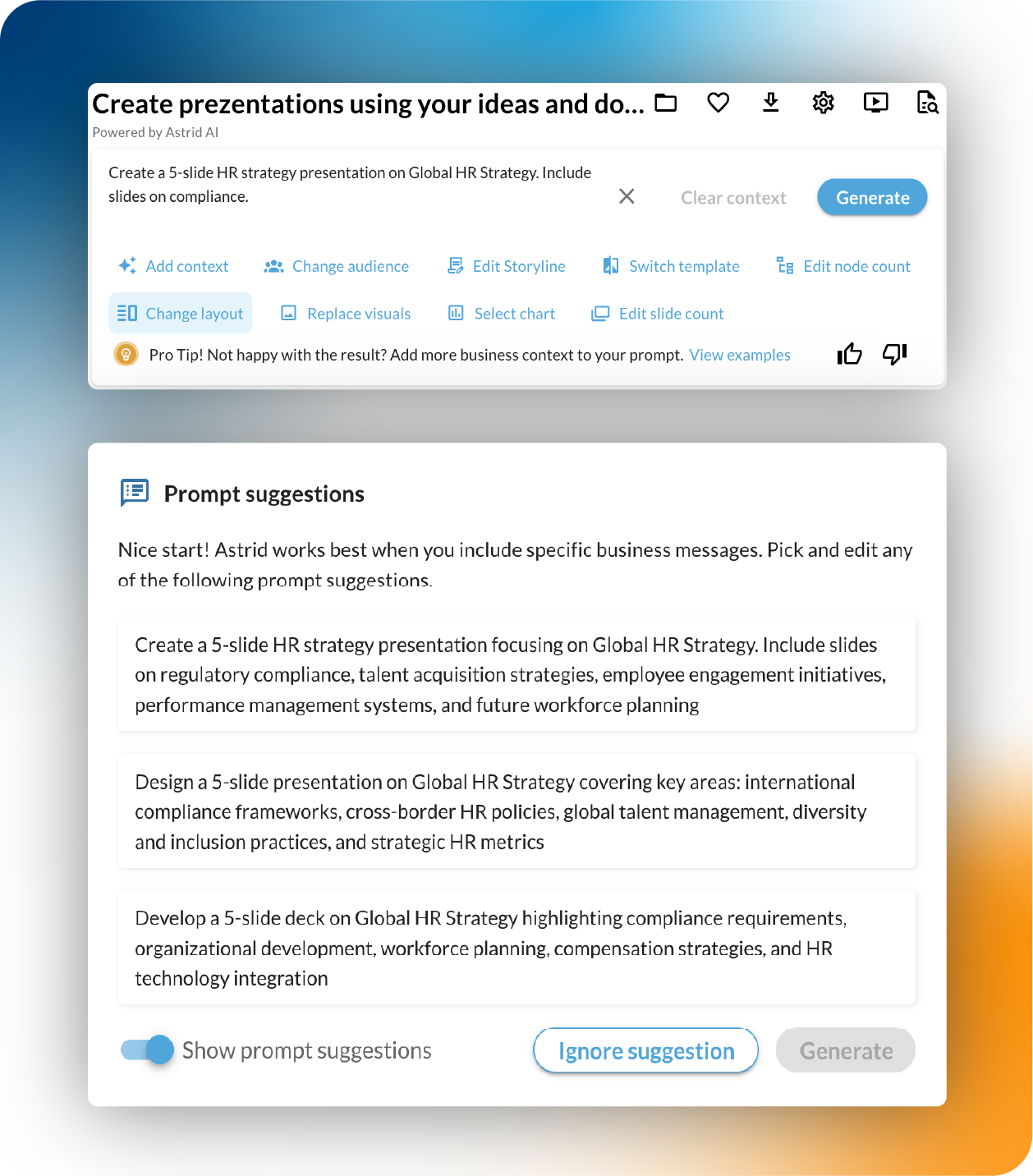
Tip 3: Handling vague AI prompts with smart suggestions

If your initial prompt is too broad or lacks detail, Astrid has you covered. It automatically suggests more specific prompts based on your input. Instead of starting from scratch, you can simply:

  • Pick a suggested prompt
  • Edit it as needed
  • Generate a refined presentation in seconds

This means even if you’re unsure how to phrase your request, Astrid guides you through the process, ensuring you always get high-quality results. 

Refining your PowerPoint presentation with Astrid AI—no manual work needed

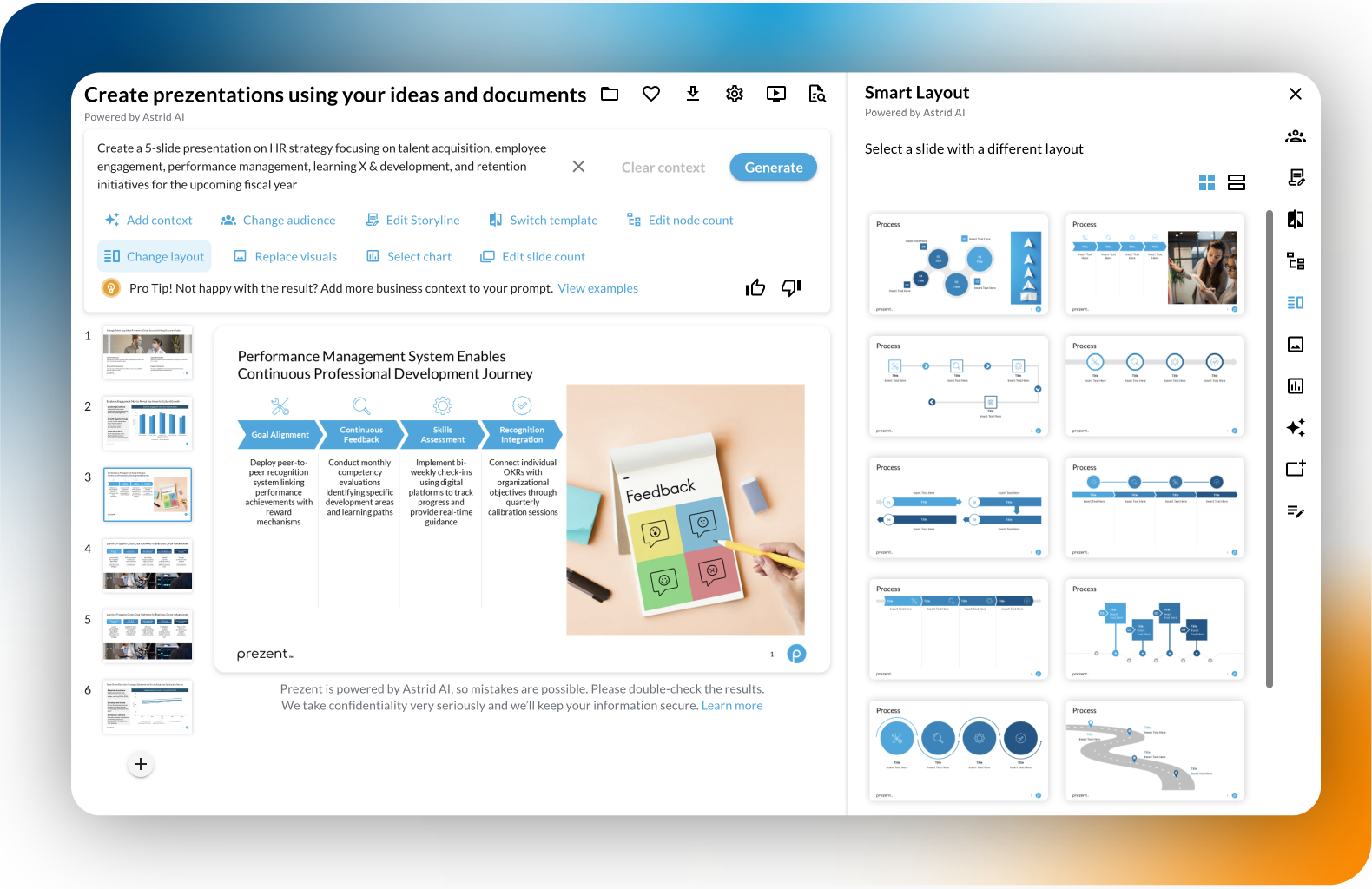
Got your presentation draft ready? Great! Now it’s time to take it to the next level—without the endless tweaking. Astrid AI gives you the power to refine every detail effortlessly, making sure your slides are sharp, engaging, and perfectly aligned with your goals.

With just a few clicks, you can:

  • Refine for your audience – Need to shift focus from an HR team to the executive board? Astrid adjusts your content to match the audience.
  • Reshape the storyline – Make your message clearer, more compelling, and tailored for impact.
  • Switch templates – Want a different look? Choose a design that fits your brand and style.
  • Adjust information density – Too much text on a slide? Too little? Fine-tune the level of detail effortlessly.
  • Optimize layouts – Ensure your slides flow visually and make your message pop.
  • Refresh visuals – Swap out images, layouts, or graphics to enhance engagement.
  • Update chart types – Turn a bar chart into a pie chart, a table into a graph—whatever makes your data easier to digest.
  • Add more context – Incorporate key insights, reports, or additional supporting details.
  • Edit slide count – Need to trim it down or expand the story? Add or remove slides in seconds.

No more struggling with formatting or second-guessing design choices. Astrid makes sure your presentation looks, sounds, and feels just right—without hours of manual edits.

FAQs: Creating effective AI-generated presentations

1. Is there a limit to the size of documents I can upload for content generation?

Prezent can handle a variety of document sizes, but for the best experience, we recommend keeping individual files under 100  pages or slides. The total upload size should stay within 200 MB to ensure smooth processing.

2. How many files or links can I add to my presentation?

There’s no hard limit! You can add multiple files and links to enrich your presentation. Just keep in mind that larger presentations take longer to process, so it’s best to keep things concise for a smooth experience.

3. What file types does Astrid support for content generation?

Astrid supports multiple file formats, including Excel Spreadsheets, Google Slides, Google Sheets, PowerPoint (.pptx), Word documents (.docx), PDFs, and web links. This gives you the flexibility to pull in content from different sources and create a well-rounded presentation.

4. Can I use Prezent with other presentation tools?

Yes! Prezent plays well with Microsoft PowerPoint and Google Slides. Once your slides are generated, you can export them and continue editing on your preferred platform.

5. Can Astrid create graphs based on my data?

Absolutely! Just provide the numbers, and Astrid will transform them into clear, compelling visuals—whether it's a bar chart, pie chart, or something more advanced.

Ready to create impactful presentations?

Try for free
No items found.
No items found.
Related resources

BLOG
Supriya Sarkar
April 1, 2026
The best B2B AI tools for enterprise teams: Features, pros and cons, pricing, and use cases
Find the best B2B AI tools for enterprise teams. Evaluate features, pricing, pros and cons, and use cases to choose tools that fit your workflows and deliver measurable impact.
BLOG
Niyati Mahale
April 1, 2026
11 best Genspark AI alternatives I tested for 2026
This guide covers the best Genspark AI alternatives for content, SEO, and presentations. Compare features, pricing, and real-world usability to find the right tool.
BLOG
Supriya Sarkar
April 1, 2026
What is presentation software? A complete guide to how it works, what to look for, and how to choose the right one
What is a presentation software? This guide explains how it works, key features to look for, and how to choose the best presentation software.
BLOG
Supriya Sarkar
March 31, 2026
PopAI review: Complete breakdown of features, pricing, and alternatives
PopAI review: Is this AI tool right for business presentations? Explore features, pricing, limitations, and enterprise alternatives.
BLOG
Niyati Mahale
March 27, 2026
Microsoft Copilot review for presentations: features, pricing & limitations
Explore Microsoft Copilot’s features, pricing, and limitations for presentations. See how it performs and whether it fits your workflow.
BLOG
Niyati Mahale
March 27, 2026
Adobe Review (2026): Is Adobe InDesign Worth It for Business Use?
This Adobe review evaluates Adobe InDesign’s features, pricing, and usability. See how it performs for business workflows and where it falls short.
BLOG
Niyati Mahale
March 27, 2026
Best AI Pitch Deck Generators in 2026 (Tested & Reviewed)
I tested the best AI pitch deck generators to see which tools actually help you build clear, structured, and convincing pitch decks faster.
BLOG
Supriya Sarkar
March 26, 2026
10 Best PopAI alternatives: Compare features, AI capabilities, pricing, and free plans
Find the best PopAI alternatives and AI presentation makers. Compare AI features, pricing, and free plans to create smarter, more professional presentations.
BLOG
Niyati Mahale
March 27, 2026
Best Plus AI Alternatives in 2026: Top 8 AI Presentation Tools
I tested the best Plus AI alternatives to see which tools actually create presentation-ready decks. Here are the top AI presentation tools worth using in 2026.
BLOG
Supriya Sarkar
March 27, 2026
Nano Banana review: Evaluating strengths, workflow gaps, and AI solutions for enterprise presentations
Nano Banana review for enterprise presentations. Explore visual strengths, identify workflow gaps, and see how teams use AI to build faster, executive-ready presentations.
BLOG
Niyati Mahale
March 27, 2026
11 Best SlideShare Alternatives for Sharing Presentations
Explore the best SlideShare alternatives for creating and sharing presentations. Compare tools for hosting, collaboration, design, and presentation analytics.
BLOG
Niyati Mahale
March 23, 2026
Beautiful.ai Review (2026): Features, Pricing, Pros & Cons
An in-depth Beautiful.ai review covering features, pricing, pros, and limitations to help you decide if it’s the right presentation tool for your needs.
Free 14-Day Trial*

Customized On-Boarding*