No items found.
No items found.

Healthcare communication is drastically evolving. What once was a straight line of patient-to-provider communication is now an intricate web involving multiple systems and providers. Clear and consistent healthcare communication systems are essential to ensure each party has the most information needed to provide the best care.
Learn the primary communication systems in healthcare and how to improve how you connect with those in your patient’s care cycle.
Key Takeaways:
Advancements in 2023 also introduce new challenges. Here are four main challenges healthcare companies face when communicating through their systems.
In the past, healthcare communication was primarily between a doctor and a patient. Today, that simple communications system has expanded. Now, patients can use several channels for care, including many providers, specialists, and third-party treatments. More often, the patient reaches out to each provider without help from their primary care doctor.
For healthcare providers, this has led to a need for better communication with other providers to ensure patients receive unified care.
Communication is also becoming more complex as more data becomes available. For example, doctors can now monitor patients using wearable devices, collect information from electronic health records, and gather health details from modern diagnostic equipment.
This large amount of data requires frequently updated communication methods to summarize and share results so everyone involved in patient care understands the results.
A recent article circulated about how phones may become your new doctor’s office. Doctors are exploring the capabilities of smartphones. Because of its advanced camera and monitoring capabilities, patients can perform more monitoring and diagnostics at home, saving time and money.
And virtual visits are proving to be popular! AdventHealth saw a 60% reduction in hospital admissions after introducing its telemedicine program.
As patients have more at-home capabilities, doctors must adopt virtual communication channels to review patient results and provide treatment without seeing the patient in-office.
Patients want more involvement in their care. It’s common now for patients to ask for second and third opinions and do their own research before accepting treatment.
Doctors can help patients become more involved with their health by providing transparent communication free of medical jargon that patients can understand. Providers can also offer online resources with accurate information and establish channels for patients to ask questions.
Healthcare companies use three main systems to effectively communicate with each individual and system involved in patient care.
Patients rarely have just one provider. Those with chronic conditions will have even more providers, including specialists and trials they may have joined. To offer the best care to patients, providers should maintain regular communication with one another.
Ideally, a provider performing a clinical trial should be able to effectively share the results with other providers through a health data exchange, allowing them to update their care.
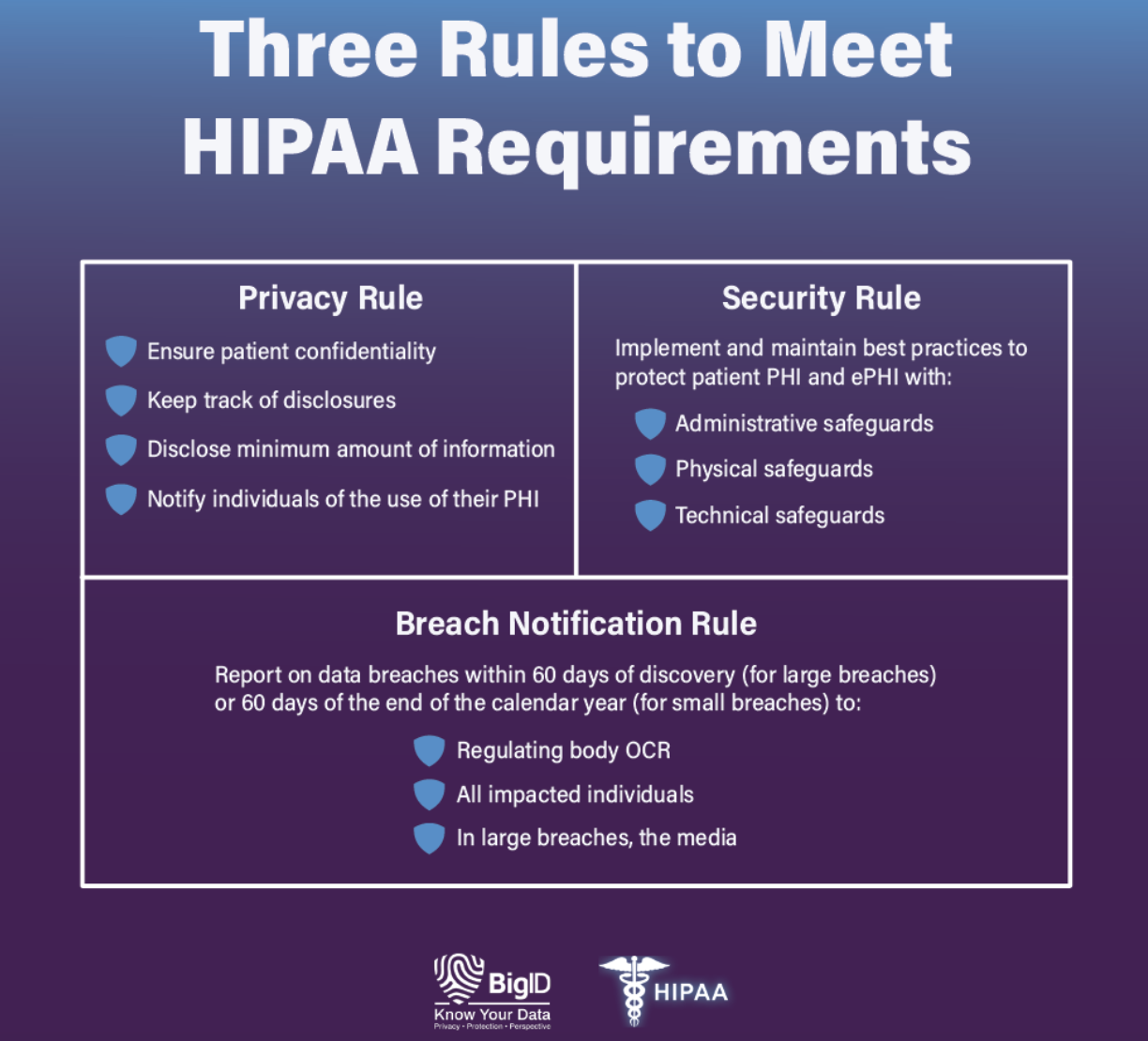
But what makes provider-to-provider communication especially difficult are HIPAA regulations. HIPAA restricts how you share data and medical information to protect patient data.
However, with presentations, you can summarize care and detail patient information securely. These presentations can be shared with relevant providers within the patient’s care to keep everyone updated.
As medicine moves online and patients have more control over their health, providers are finding new ways to share information with patients.
Providers use presentations to outline diagnoses, treatment options, and patient care. Sharing them with patients helps equip them to control their health outcomes.
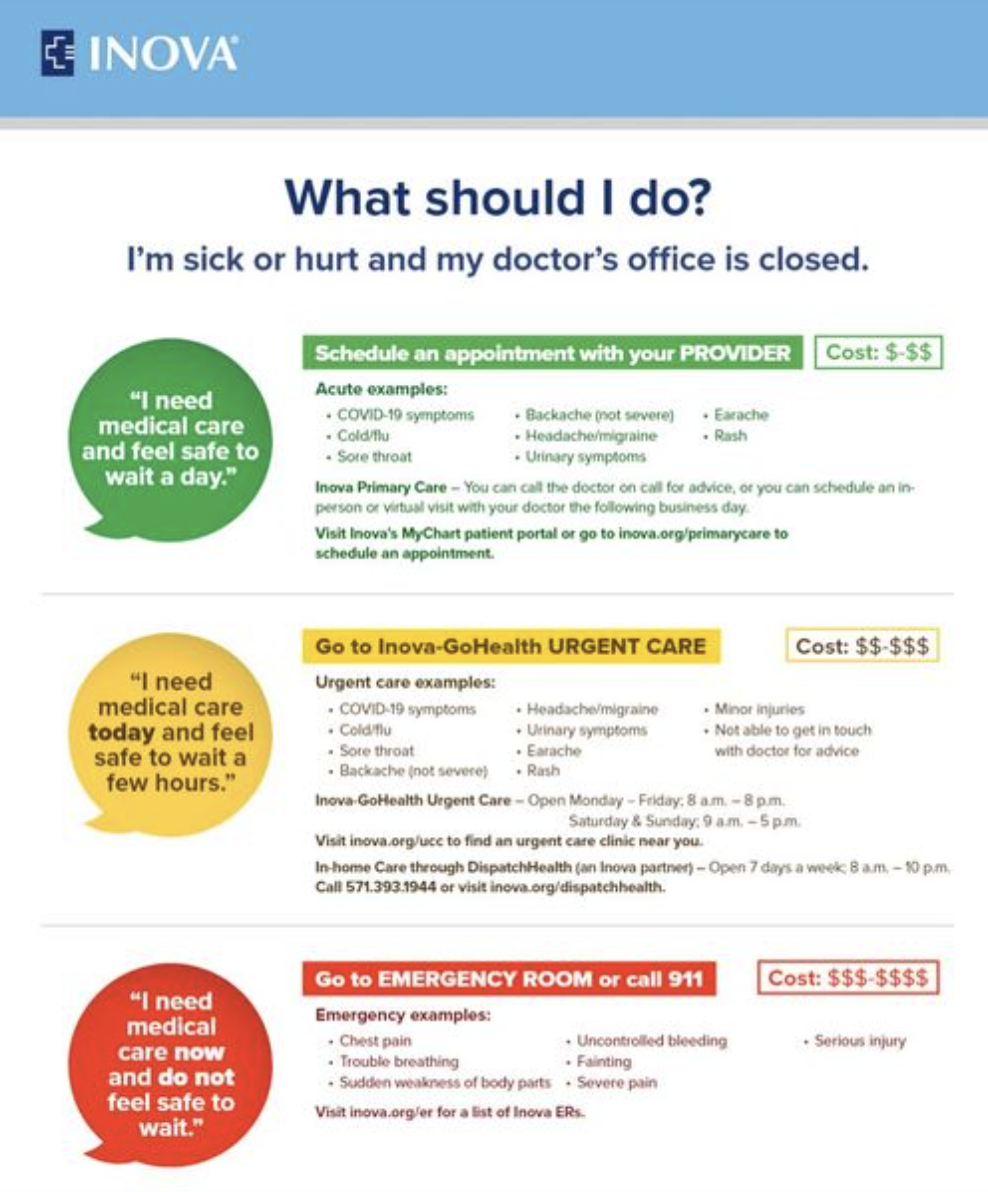
Providers are also sharing online resources to help patients make more informed decisions. For example, Inova hospital regularly posts on social media with information on signs, symptoms, and advice about healthy living and when to seek care, like this post on when to visit the ER.
Do note that provider-to-patient communications are also subject to HIPAA regulations, so all presentations must avoid revealing personal medical information. For private communication, ensure you encrypt the communication system to prevent breaches.
This occurs within your healthcare organization. It includes:
Communication is also needed between providers within your company when handing off a patient between doctors.
Because there is a significant amount of data to share, internal communications are often packed with information about patients and processes. This makes it challenging to effectively share updates in a single communication without tools to help structure your data and message.
Presentations improve your internal communications. One pharma company communicates almost entirely through presentations. Whether you’re sharing treatment outcomes or training new employees, presentations lay out information in an easy-to-read format and help streamline internal communication.
How can you improve your healthcare communication systems using medical presentations?
Presentation templates speed up your presentation creation time. Instead of creating presentations from scratch, you can insert information into pre-created templates. This frees up healthcare providers to focus on patients and data analytics rather than design and presentation development.
Using templates can also unify your communications around a consistent style and branding.
Healthcare communication usually involves several healthcare professionals. Instead of using several channels to communicate with each party involved, everyone can collaborate on one presentation.
Within one presentation, multiple healthcare workers can interact and communicate by adding comments and slides.
Healthcare communication contains incredibly sensitive content. You want to protect any personal medical information in slideshows and ensure that only authorized parties can access the data. You want to comply with HIPAA regulations when sharing treatment summaries with other providers.
Make sure you use platforms with robust security measures to secure your data. Implementing access control software from providers like Coram, which specializes in access control and AI security camera solutions, helps ensure that only authorized staff can view or share sensitive healthcare presentations. You also want to check the safety of the channels you use to share the presentation, whether through an electronic health record or a cloud system.
As healthcare providers, your focus is the data you want to share. You don’t want to spend hours designing presentations.
With Prezent, you don’t have to.
Prezent—the AI-powered presentation productivity platform cuts down your presentation creation time so you can focus on your crucial healthcare data. The innovative software boosts healthcare communications and provides busy professionals with pre-designed slide templates curated to fit key healthcare objectives, top business storylines, and company branding and style.
As you build with Prezent, the software learns more about the types of presentations you create and who you present to—evolving to better fit your communication needs the more you build. And when you build with Prezent, you can find peace of mind knowing the platform’s added layers of security will keep your patient data secure.













