No items found.
No items found.

Presentations are crucial in business, whether for investor pitches or project updates. They are essential for communicating ideas, influencing decisions, and closing deals. However, many professionals struggle to create PowerPoint presentations that effectively capture and maintain the audience's attention.
This struggle has given rise to the term death by PowerPoint, in which poorly designed slides not only bore and disengaged the audience but also failed to convey the intended message. This article examines the common causes of ineffective business presentations and offers practical tips to help you improve your chances of success.
Death by PowerPoint occurs when a presentation overwhelms the audience, making it difficult to stay focused. Poorly designed slides, too much text, or a monotonous delivery can easily bore and disengage the audience.
Instead of being a helpful tool, PowerPoint becomes a barrier to effective communication, causing the audience to lose interest, disengage, or fail to understand the key message.
This scenario is commonly found in corporate and educational settings. The overuse of PowerPoint slides filled with too much information, irrelevant data, or complicated visuals leads to the audience zoning out instead of paying attention to the speaker’s points.
Numerous studies show that human attention spans have decreased. Smartphones, social media notifications, and other quick distractions make us lose interest quickly. In such a scenario, if your presentation fails to engage and impress your audience, you risk missing valuable growth opportunities.
Recognizing and avoiding common pitfalls is essential to improving your presentation effectiveness.
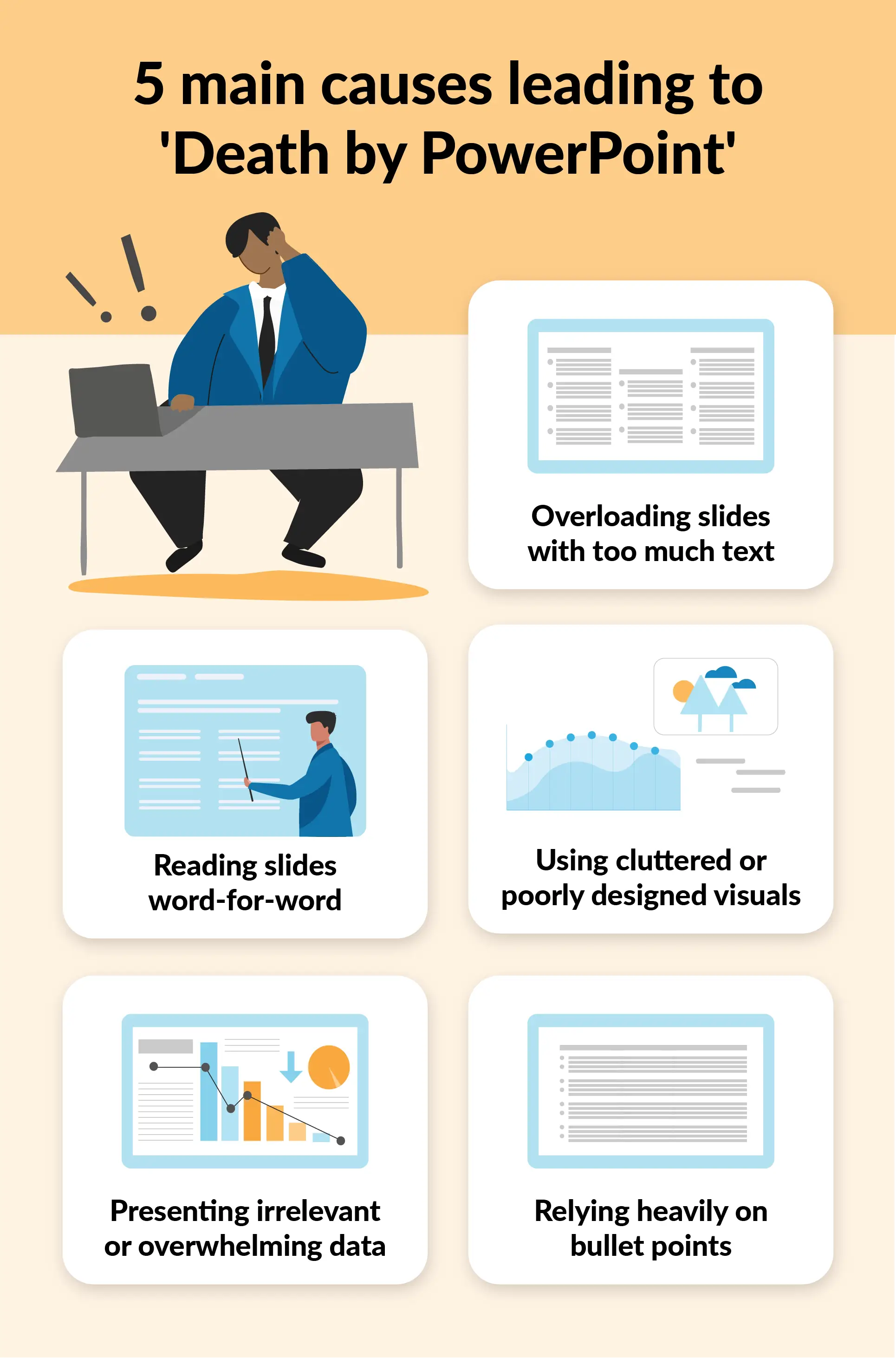
A good presentation creation and effective delivery is an art. However, with some tips and consistent practice, you can refine your skills over time. Below are some practical tips to help you avoid creating a poor deck of slides and engage your audience effectively:
The KISS principle stands for Keep It Simple, Stupid. This principle emphasizes that "less is more," keeping the design and communication straightforward. Simplicity ensures that your message is easy to follow and more engaging for the audience. To apply this in your PowerPoint, consider these simple rules:
Guy Kawasaki first introduced the 10-20-30 Rule of PowerPoint as a guideline for creating more effective presentations. It revolves around three principles:
This rule helps avoid the common pitfalls of poorly designed slides and disengagement due to excessive content. Adjust slide counts based on meeting length, but the simplicity of this rule ensures clarity.
The presentation duration may vary based on the meeting format and agenda. Refer to the article below to learn about the ideal slide count for different presentation lengths. How many slides for a 30-minute presentation?
The pace of your speech also contributes to better engagement. The ideal pace of speech varies with the intent of your speech. It is suggested to keep a fast-paced speech where you do not want to get into too much detail where it is not required. A very slow-paced speech can also lead to boredom. A good guideline is to spend no more than 45 seconds to one minute per slide.
The article below discusses the ideal speech pace and offers tips to improve your speaking rate. Explore it for a detailed breakdown to help estimate the number of words for a 10-minute, 5-minute, or 3-minute speech. Finding how many words per minute is ideal for an effective speech at work.
Leveraging modern presentation tools like Prezent can greatly improve the quality of your slides. These tools allow you to create professional, visually appealing presentations with minimal effort. Not only do they save time, but they also ensure logical structure and effective design, helping you to maintain engagement while focusing more on your delivery.
The article below explores how AI is transforming the presentation space, revolutionizing how presentations are created, designed, and showcased. Discover how AI not only aids in content creation but also hyper-personalizes presentations to meet the needs of different stakeholders. How AI is revolutionizing presentations
A standard presentation cannot work for all audiences, as different stakeholders have varied requirements. Tailoring your content based on the specific needs of your audience can significantly boost engagement. Research your audience and adjust your message to include relevant data and examples. Personalizing the content makes it more relatable and impactful for the audience, helping you achieve your desired outcomes.
If you're looking for tips on personalizing your presentation, explore the article below. It offers practical advice on making your presentation more engaging with minimal design effort. 6 Tips to personalize your presentation to boost productivity.
Storytelling is a powerful technique used for centuries to engage and influence people. When presenting to executives or key stakeholders, incorporating a narrative can help make your presentation memorable. Storytelling creates a logical flow, making your key message easy to follow and ensuring that the audience retains the information.
If you want to learn about structured storytelling, the guide below will show you how to build storyline structures from scratch, helping you craft a convincing and engaging presentation. Structured storylines
Interaction is critical, especially in executive presentations. Engaging your audience keeps them attentive and involved. There are many techniques that can be applied to ensure higher engagement. For example:
It is advisable to allocate the last 10 minutes of your presentation for a Q&A session to foster further interaction. Additionally, listen to the reaction your viewers provide you in form of non-verbal cues. This will guide you to navigate your speech and engage them actively.
“Practice makes a man perfect,” this popular proverb applies to even presentation delivery. While well-designed slides are essential, the speaker's delivery is equally important. Rehearse your presentation to ensure you’re confident, well-paced, and able to engage with your audience. Although fear of public speaking is quite common, leading to stuttering in a public speech. But with time and constant practice, this fear can be overcome. With enough preparation, you will be able to deliver your speech smoothly and with impact.
With these strategies, your business presentations will not only capture attention but also communicate your message effectively.
But what if you could take your presentation game to the next level? This is where Prezent comes in. Prezent used AI-powered technology to help you create professional, visually stunning presentations with minimal effort. It offers tailored templates, in-built storylines, and hyper-personalization features that allow you to customize your presentation for different stakeholders—all while saving you time and ensuring consistent quality. Prezent simplifies the process, so you can focus on delivering your message confidently and engagingly.
Explore how Prezent can help you make an impact with your next business presentation by scheduling a demo or using your free trial.













