Last Updated :
March 24, 2022
Rajat Mishra

How to dodge bullet (points)

Creating sparkling business presentations requires us to go beyond just the graphics and visuals.

The ubiquitous bullet points

More than 30 million presentations are made every day and more than 90% of them are slide after slide of bullet points. Why is that?

Bullet points are the easiest and fastest way to create content in presentation software. They are also a natural extension of long-form (document) communication.

But bullet points suck!

The common argument (Garr Reynolds) against bullet points is that they are not visual. And since we are visual learners bullet points are easy to forget. Which is true, but not the whole truth!

The hidden issue

Another insidious, less obvious problem with bullet points is logical. When our brains notice the bullet point layout, we assume it is one of two logical arguments: Inclusion or Sequence.

  • Inclusion: all bullet points are part of one logical category. (E.g., Seven wonders of the world, Policies in a state program, results of a financial quarter)
  • Sequence: all bullet points are in order (E.g., seven steps to cook a recipe, chronological events that led to WWI)

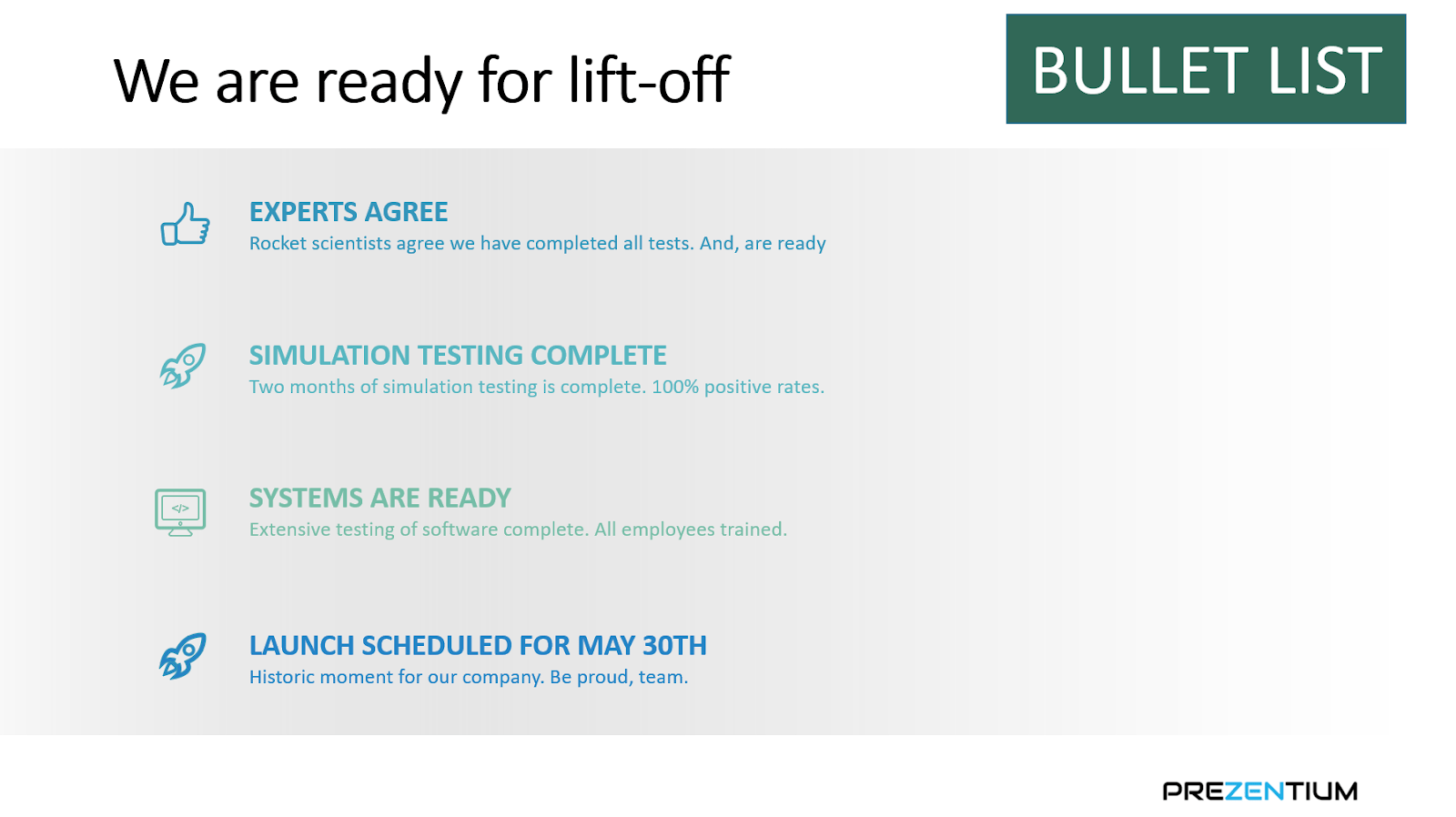
However, we confuse our brains by incorrectly using bullet points to communicate other logical arguments. Here's an example:

Pow

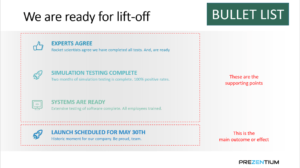
This issue with the slide above is that the brain processes the bullet point layout as all four points live in the same category or in sequence. Neither is the case here.
‍

The first three bullets are supporting points. And the last bullet is the main outcome or effect that the first three bullet points helped with.

Causality is the right logical argument here. And tthe bullet points layout conflicts with it.

The meaning would become clearer if we used a layout more conducive to causality. In the picture below, it becomes easier for the brain to process that the first three bullet points lead to the outcome on the right.

How to dodge bullets?

So, creating sparkling business presentations requires us to go beyond graphics and visuals. We must think about the logical argument or meaning we are trying to communicate. And choose the right layout that goes with the argument.

If it is inclusion or sequence, then bullet points work great. If you are trying to communicate a different logical argument (e.g., causality, convergence), you must dodge bullets!

Ready to create impactful presentations?

Try for free
No items found.
No items found.

Related resources

BLOG
Niyati Mahale
April 6, 2026
14 latest AI tools for business, productivity, and workflows (2026)
Explore the latest AI tools in 2026 for business, productivity, and workflows. Compare tools that help you create, automate, and deliver better outputs faster.
BLOG
Niyati Mahale
April 6, 2026
Canva review (2026): features, pricing, pros & cons explained
This Canva review covers features, pricing, pros, cons, and real-world usability. See how Canva performs across design workflows and where it falls short for business communication.
BLOG
Supriya Sarkar
April 1, 2026
The best B2B AI tools for enterprise teams: Features, pros and cons, pricing, and use cases
Find the best B2B AI tools for enterprise teams. Evaluate features, pricing, pros and cons, and use cases to choose tools that fit your workflows and deliver measurable impact.
BLOG
Niyati Mahale
April 1, 2026
11 best Genspark AI alternatives I tested for 2026
This guide covers the best Genspark AI alternatives for content, SEO, and presentations. Compare features, pricing, and real-world usability to find the right tool.
BLOG
Supriya Sarkar
April 1, 2026
What is presentation software? A complete guide to how it works, what to look for, and how to choose the right one
What is a presentation software? This guide explains how it works, key features to look for, and how to choose the best presentation software.
BLOG
Supriya Sarkar
March 31, 2026
PopAI review: Complete breakdown of features, pricing, and alternatives
PopAI review: Is this AI tool right for business presentations? Explore features, pricing, limitations, and enterprise alternatives.
BLOG
Niyati Mahale
March 27, 2026
Microsoft Copilot review for presentations: features, pricing & limitations
Explore Microsoft Copilot’s features, pricing, and limitations for presentations. See how it performs and whether it fits your workflow.
BLOG
Niyati Mahale
March 27, 2026
Adobe Review (2026): Is Adobe InDesign Worth It for Business Use?
This Adobe review evaluates Adobe InDesign’s features, pricing, and usability. See how it performs for business workflows and where it falls short.
BLOG
Niyati Mahale
March 27, 2026
Best AI Pitch Deck Generators in 2026 (Tested & Reviewed)
I tested the best AI pitch deck generators to see which tools actually help you build clear, structured, and convincing pitch decks faster.
BLOG
Supriya Sarkar
March 26, 2026
10 Best PopAI alternatives: Compare features, AI capabilities, pricing, and free plans
Find the best PopAI alternatives and AI presentation makers. Compare AI features, pricing, and free plans to create smarter, more professional presentations.
BLOG
Niyati Mahale
March 27, 2026
Best Plus AI Alternatives in 2026: Top 8 AI Presentation Tools
I tested the best Plus AI alternatives to see which tools actually create presentation-ready decks. Here are the top AI presentation tools worth using in 2026.
BLOG
Supriya Sarkar
March 27, 2026
Nano Banana review: Evaluating strengths, workflow gaps, and AI solutions for enterprise presentations
Nano Banana review for enterprise presentations. Explore visual strengths, identify workflow gaps, and see how teams use AI to build faster, executive-ready presentations.
Free 14-Day Trial*

Customized On-Boarding*