No items found.
No items found.
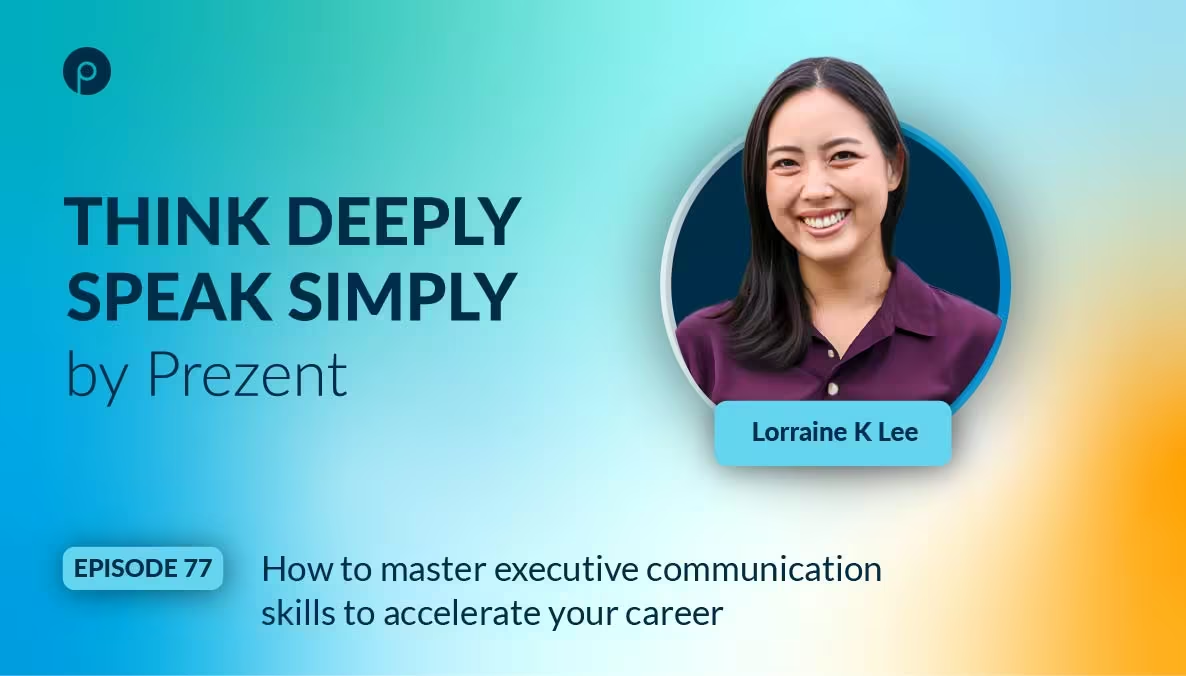
Giving a presentation to the C-suite can rattle even the most seasoned professional. As Prezent CEO and founder Rajat Mishra says, “Presenting to senior leaders can often feel like walking a tightrope.”
It’s about way more than making your slides look sharp. Winning over senior leaders means knowing what matters to them, how they like to take in information, and getting your point across so it lands right away. In our latest Think Deeply, Speak Simply podcast episode, Lorraine K. Lee, LinkedIn Top Voice and best-selling author of Unforgettable Presence, shares actionable C-suite communication strategies for presenting to senior leaders who have limited time and the power to significantly impact your career.
Watch the full episode below or read for key takeaways.
Lorraine points to two big reasons why communicating with executives is quite different from talking to any other audience:
1. They’re short on time and are constantly context switching
Time is their most limited resource. Between leading teams, managing people, and chasing big goals, they’re constantly balancing competing priorities. This pace forces leaders to switch gears rapidly. Your message has to be precise, get them up to speed quickly, and get to the point efficiently,” says Lorraine.
2. They expect action-oriented meetings
Senior executives do not attend meetings just to hear status updates. They’re there to clear roadblocks, make decisions, and keep things moving. Because of that, Lorraine recommends leading with “the so what” – aka your point or call to action –right from the start. This approach not only makes you look more strategic but can also create real momentum for your career.
The habits that work in everyday conversations or team meetings can sometimes backfire at the top level. Lorraine highlights two common slip-ups that can quickly derail your message and weaken your impact.
Mistake 1: Expecting a one-way presentation
A common mistake is treating a presentation as a one-way conversation where you speak first and take questions only at the end. Lorraine Lee admits she once made this misstep when presenting a new strategy to a CEO, expecting to get through her entire deck without interruptions.
In reality, executives often prefer immediate Q&A and back-and-forth exchanges. Interruptions are not a sign that you are doing poorly. They usually mean time is limited, and leaders want to quickly understand your main point or what you need from them. Your presentation should be a conversation, not a lecture.
“Prepare to be interrupted and to make it more of a dialogue rather than expecting to give a 10-to-15-minute presentation with no interruptions.”- Lorraine Lee
Mistake 2: Overloading your slides
The other mistake to avoid is cramming too much content on a single slide. ‘Executives do not read what is on the slide, ’ says Lorraine, so too much clutter makes it harder for busy executives to grasp your message quickly.
Lorraine shares practical ways that will help you communicate and connect with the C-suite. Her advice focuses on being clear, concise, and deeply tuned in to your audience’s priorities.
1. Learn your audience’s preferences
When it comes to executives, knowing your audience isn’t just important; it’s a must. Every leader has their own communication style, and the way you deliver your message can matter as much as the content itself.
As Lorraine explains, it’s not only about aligning your content with their goals, but also about presenting it in a way that matches their preferred learning style. Some executives prefer a high-level overview; others want the data and details. If you’re addressing a mixed group, share the detailed material in advance with those who need it, so you can keep the live session focused and efficient.
“It's really important not just to understand what your goals are and how I can create content that speaks to your goals, but also how I can actually present the content that allows you to process it in the way that you like to process information.” - Lorraine Lee
A pro tip- Lorraine suggests talking to the executive’s assistants. They often know an executive’s preferences better than anyone and can help you tailor both your content and delivery for maximum impact.
Prezent’s Communication Fingerprint feature helps you get a quick read on your audience’s communication style and allows you to tailor your presentation to how they like to receive information. Combine these insights with your own authentic voice, and you’ll be able to deliver presentations that truly connect and leave a lasting impact.
2. Use the power of pre-reads
According to Lorraine, pre-reads are a strategic leadership communication training tool. “A pre-read allows you to set the scene, provide context, and make sure everyone comes into the meeting on the same page,” she says.
It not only helps the audience but also pushes the presenter to think more deeply, be concise, and focus on the most essential information. This preparation makes the live presentation more impactful. She also suggests experimenting with different formats, like a short video summary, for executives who prefer listening on the go.
3. Create executive-ready slides
Lorraine believes that when it comes to slides, less is more. She offers several practical tips for designing and delivering impactful, executive-friendly presentations:
AI is reshaping how we work, and like many leaders we’ve spoken with, Lorraine encourages professionals to embrace it rather than fear it. She sees AI as a powerful ally that can help you expand your presence and become a stronger, more confident presenter. She emphasizes two key points:
“I think AI is such a powerful tool to help us expand our presence, become stronger presenters, and I encourage everyone not to be afraid to use it.”-Lorraine Lee
A great example of this in action is Astrid, the AI engine behind Prezent. Think of Astrid as your on-demand presentation strategist, creating hyper-personalized, brand-aligned decks in a fraction of the time. By automating the heavy lifting, Astrid lets you focus on what matters most—sharpening your message, connecting with your audience, and delivering with confidence. This helps you deliver presentations that not only look great but also resonate and make a big impact.
Lorraine strongly advocates mastering communication with senior executives, calling it the foundation of business and a key to getting noticed at the top. It’s a core skill that delivers long-term rewards. She has seen firsthand how improving public speaking and communication can create an outsized impact, opening doors to new opportunities and accelerating career growth.
By sharpening your executive communication skills, knowing your audience, and preparing with purpose, you can influence decisions and grow your leadership presence with confidence.
Watch the full conversation with Lorraine Lee on our YouTube channel or listen anytime on your favorite platforms, including Spotify and Apple Podcasts. For more insightful conversations and practical leadership tips, check out our Think Deeply, Speak Simply podcast.













