No items found.
No items found.

Have you ever sat through a presentation that felt like an endless parade of bullet points, leaving you more confused than informed? We've all been there. Now imagine delivering a SWOT analysis so compelling, so impactful, that it not only holds your audience’s attention but also drives them to action. In this guide, we'll reveal the secrets to transforming your SWOT analysis presentation from mundane to magnificent. Whether you're aiming to impress stakeholders or guide your team towards strategic decisions, these insights will ensure your message resonates and inspires.
A SWOT analysis is a technique for strategic planning. SWOT stands for Strengths, Weaknesses, Opportunities, and Threats. This framework helps you assess internal factors (strengths and weaknesses) and external factors (opportunities and threats) affecting your business. SWOT analysis helps you gain a clear picture of where your business stands and where it can go. This clarity enables you to make informed decisions, leverage your strengths, address your weaknesses, capitalize on opportunities, and mitigate threats.
Conducting a SWOT analysis isn't merely about listing strengths, weaknesses, opportunities, and threats—it's about weaving a compelling narrative that drives home the strategic insights. An effective SWOT analysis presentation does more than just inform; it inspires action and fosters strategic decision-making.
Highlight critical areas for improvement: By clearly presenting weaknesses, you shine a spotlight on the areas that need attention. This transparency builds trust with your audience and underscores your commitment to continuous improvement.
Identify opportunities for growth: Opportunities often hide in plain sight. A well-presented SWOT analysis highlights these potential avenues for growth, motivating stakeholders to seize them. Whether it's expanding into new markets, innovating products, or leveraging new technologies, presenting opportunities convincingly can rally your team to action.
Reveal potential threats to be mitigated: Addressing threats head-on shows foresight and preparedness. By discussing potential risks and mitigation strategies, you demonstrate that you’re not only aware of challenges but also ready to tackle them proactively. This reassures stakeholders and builds confidence in your leadership.
Foster strategic decision-making: The ultimate goal of any SWOT framework is to guide strategic planning. A powerful presentation translates complex data into actionable insights, fostering an environment where informed, strategic decisions can be made. When your audience understands the full scope of internal and external factors, they are better equipped to contribute to strategic planning and execution.
1. Understand your audience
Knowing who you will be presenting to is crucial. Tailor your presentation to address their concerns, interests, and level of understanding. An AI presentation maker can assist in customizing your content to better align with different audience needs. For example, if you're presenting to a group of financial executives, focus on the data-driven aspects of your SWOT analysis. If your audience is composed of marketing professionals, highlight market trends and consumer behavior insights. A well-crafted narrative can significantly enhance engagement and retention, so craft your message to resonate with your audience's specific needs and interests.
2. Collect and analyze data
Gather comprehensive data on the strengths, weaknesses, opportunities, and threats relevant to your analysis. Ensure your data is accurate and up-to-date. Utilize various sources, such as market research reports, internal performance metrics, and competitor analysis.
When Starbucks identified a weakness in its declining afternoon sales, they introduced new afternoon-specific promotions and products, turning a potential threat into an opportunity. Thorough data collection and analysis like this can provide actionable insights and drive strategic decisions.
3. Structure your presentation
A clear structure helps in maintaining the flow of your presentation. Organize your content into sections: Introduction, SWOT Analysis, and Recommendations. Each section should seamlessly transition into the next, guiding your audience through your analysis. Start with a compelling introduction to set the stage, delve into the details of your SWOT analysis, and conclude with actionable recommendations. A well-structured presentation not only keeps your audience engaged but also reinforces your key points effectively.
4. Create engaging visuals
Use charts, graphs, and infographics to make your data more digestible and engaging. Visual aids can help retain the audience's attention and make complex information easier to understand. For instance, a SWOT matrix can visually depict the strengths, weaknesses, opportunities, and threats in a clear and concise manner. According to a study by 3M, visuals are processed 60,000 times faster than text. This underscores the importance of incorporating high-quality visuals to enhance comprehension and retention of your key messages.
By focusing on these preparation steps, you can create a SWOT analysis presentation that not only informs but also engages and inspires your audience, driving them to take meaningful action.
1. Highlight key strengths
Think of your strengths as the secret sauce that sets your business strategy or project apart from the competition. These are the unique capabilities, resources, and advantages that give you a leg up. Start by spotlighting the most impactful strengths—those that truly make a difference. Explain how these strengths not only provide a competitive advantage but also drive success and innovation within your organization.
2. Use real-life examples
Stories sell. To make your strengths relatable and memorable, weave in real-life examples and case studies. For instance, if one of your strengths is cutting-edge technology, tell the story of how it helped you land a major client or significantly boost productivity. Real-life scenarios illustrate the practical benefits of your strengths, making them more tangible and compelling for your audience.
3. Visual representation
A picture is worth a thousand words, and visuals can transform dry data into engaging content. Use pie charts, bar graphs, or even infographics to present your strengths in a clear and captivating way. For example, a pie chart showing the market share captured due to a particular strength can be more persuasive than a paragraph of text. Visual aids not only help in understanding but also in retaining the information, making your presentation more effective and memorable.
1. Embrace vulnerability
Let's face it—every business has its weak spots. Embracing these vulnerabilities openly can actually work in your favor. When you're honest and transparent about what needs improvement, it builds trust and credibility with your audience. It's refreshing and shows that you're grounded in reality.
2. Dive into the backstory
Every weakness has a backstory. Maybe it's a resource limitation or a market shift that caught you off guard. Sharing the context behind each weakness helps your audience understand the bigger picture. It's like peeling back the layers to reveal the root causes, which can be enlightening and engaging for your audience.
3. Turn weaknesses into opportunities
This is where you can really shine. Instead of just pointing out flaws, use this moment to discuss creative solutions and proactive strategies. Show your audience that you have a plan to turn these weaknesses into strengths. It’s not just about identifying problems; it’s about showcasing your innovative approach to overcoming them. This demonstrates resilience and forward-thinking, qualities that are highly valued in any business environment.
1. Uncover hidden gems
When you identify potential opportunities, think creatively and look beyond the obvious. Highlight opportunities that align with business plans but also consider those that might seem unconventional yet promising. For instance, explore new markets that have emerging demands or think about leveraging underutilized resources within the company.
2. Ride the wave of trends
Analyzing market trends can be incredibly revealing. Use up-to-date market research to show how current trends can be turned into lucrative opportunities. Maybe there's a growing trend in sustainable products that your company can capitalize on, or perhaps there's a technological advancement that can streamline your operations. Paint a picture of the future where your business is at the forefront of these trends, riding the wave of change successfully.
3. Chart a course with strategic moves
Provide actionable recommendations that show a clear path from opportunity to execution. Detail strategic moves such as forming partnerships, launching new products, or entering niche markets. Make your audience envision the steps needed to seize these opportunities, complete with timelines and key performance indicators. This approach not only highlights the opportunities but also instills confidence in the feasibility and profitability of these ventures.
1. Embrace the reality of risks
Facing threats head-on is crucial. Whether it's market volatility, new competitors, or regulatory changes, acknowledging these risks openly sets a proactive tone. Think of it as shining a light in the dark corners—only then can you truly understand and tackle the challenges. Avoid sugar-coating the issues; honesty builds trust and credibility.
2. Craft ingenious mitigation strategies
Turning threats into opportunities requires creativity and foresight. Propose innovative strategies that show you're not just prepared but ahead of the game. For instance, if a new competitor emerges, suggest enhancing your unique selling propositions or exploring untapped markets. Mitigation isn't just about defense; it's about transforming potential setbacks into stepping stones for growth.
3. Anchor your insights with solid data
Numbers don't lie. Support your claims with robust data and research to bolster your credibility. Use graphs, statistics, and case studies to paint a compelling picture of the threats and your strategies to combat them. Data-driven insights not only make your analysis more persuasive but also reassure your audience that your recommendations are grounded in reality.
1. Summarize key points
Bring your presentation to a memorable close by revisiting the key strengths, weaknesses, opportunities, and threats you discussed. This reinforces your main messages and ensures that your audience leaves with a clear understanding of the core insights. A concise summary also highlights the thoroughness and depth of your analysis.
2. Emphasize strategic recommendations
Delve into the strategic recommendations you proposed, emphasizing how they can drive positive change. Illustrate the potential impact with vivid examples or anecdotes. Show your audience the transformative power of your strategies, painting a picture of a more successful, resilient future for the business.
3. Call to action
End on a high note with a compelling call to action. Encourage your audience to act on the insights and strategies you've presented. Whether it's implementing new initiatives, reassessing current practices, or exploring new markets, inspire them to take concrete steps. Your enthusiasm and conviction here can motivate your audience to turn your analysis into real-world results.
Leverage advanced tools like Prezent AI to create professional and impactful presentations, especially for SWOT analysis. Prezent AI offers a suite of features designed to streamline the presentation creation process as an AI presentation maker for modern business needs.
💡Explore more about Prezent AI by scheduling a detailed demo with our experts or signing up for a free trial!
For remote presentations, selecting the right video conferencing tools is crucial. Platforms like Zoom, Microsoft Teams, or Google Meet offer features such as screen sharing, virtual backgrounds, and breakout rooms, which can facilitate a smooth and professional presentation experience. Ensure you have a stable internet connection to avoid disruptions. Additionally, familiarize yourself with the platform's functionalities beforehand, such as managing participant audio, using the chat feature, and recording the session.
Imagine you're on stage at a concert—only this time, you're presenting your SWOT analysis. Rehearse your SWOT analysis presentation until you know it, like your favorite song. This practice will not only build your confidence but also ensure that your delivery is smooth and polished. For an effective SWOT analysis presentation, consider using a SWOT analysis template to keep your content organized.
Your audience's attention is precious, so treat it like gold. Plan your presentation meticulously to ensure it’s concise and hits all the key points within the allotted time. Use a timer during practice sessions to get a feel for the pacing. If you’re using a SWOT analysis in PowerPoint, make sure each SWOT analysis slide is clear and to the point.
Turn your presentation into a conversation, not a monologue. Ask thought-provoking questions and encourage your audience to share their insights. This interaction keeps everyone engaged and makes your presentation more dynamic and memorable. To present your SWOT analysis effectively, use a SWOT template that highlights strengths, weaknesses, opportunities, and threats.
Think of potential questions as curveballs. Anticipate what your audience might ask and have your answers ready. This preparation will help you field questions confidently and demonstrate your thorough understanding of the topic. An editable SWOT analysis can be particularly useful for tailoring your responses and refining your points on the fly.
Presenting can sometimes feel like walking a tightrope. If you encounter unexpected issues, stay calm and composed. Take a deep breath, pause if necessary, and continue with confidence. Your calm demeanor will reassure your audience and keep the presentation on track. Remember, a good SWOT analysis presentation is not just about the content but also about how you handle the delivery.
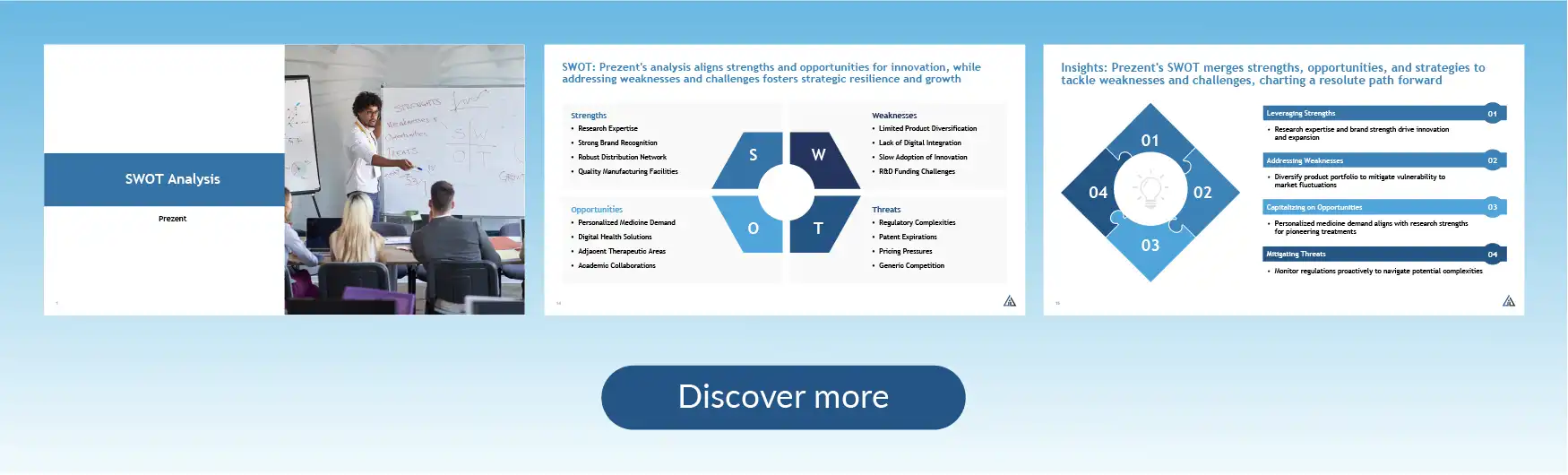
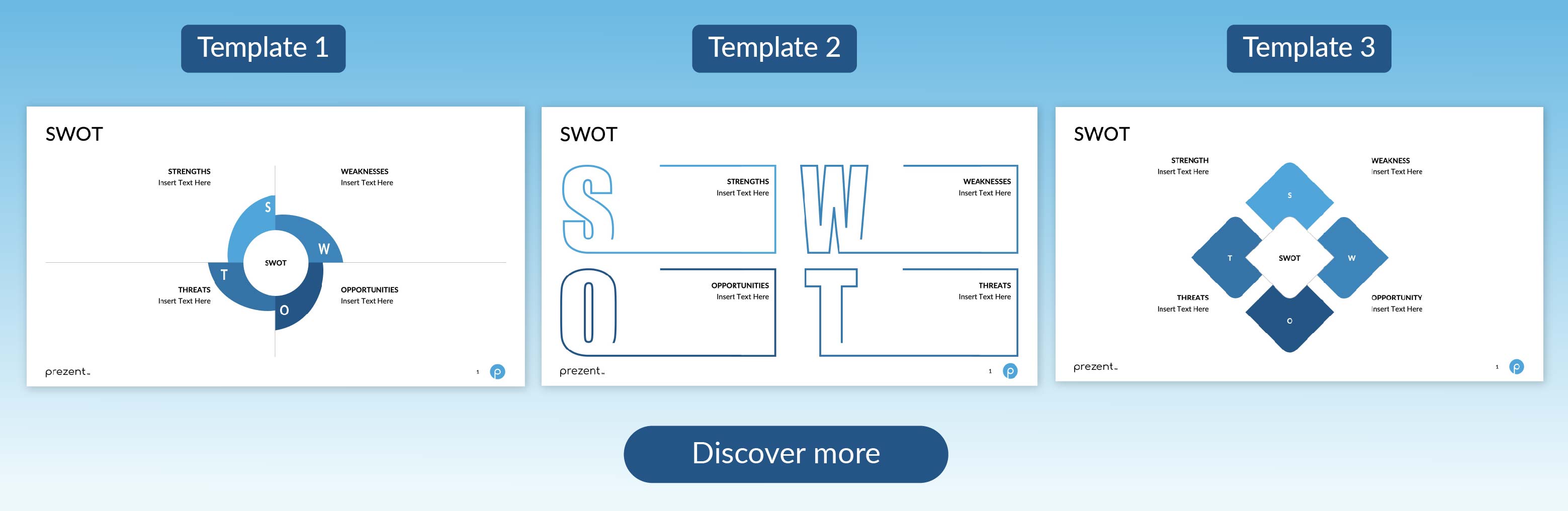
Discover SWOT analysis templates on Prezent AI
To identify key strengths, look at your business's unique capabilities, resources, and positive attributes that give you a competitive edge.
Common weaknesses include a lack of resources, limited market presence, outdated technology, and internal process inefficiencies.
Opportunities can be found by analyzing market trends, customer needs, technological advancements, and competitive gaps.
Effective ways to mitigate threats include developing contingency plans, diversifying products/services, investing in technology, and improving risk management strategies.
Use visuals, real-life examples, interactive elements, and keep the content relevant to your audience. Engage them with questions and encourage participation.
You can use presentation software like Prezent AI, PowerPoint, or Google Slides, as well as data visualization tools and video conferencing platforms for virtual presentations.

Bharti is a product marketing writer at Prezent who believes great writing starts with deep reading. She began her career in finance, switched paths in 2019, and has since worked with Kintegra, Clearout, Miko, CaratLane, and, of course, Prezent. From content marketing to product marketing, she enjoys simplifying complex product and technical ideas without losing meaning. As she always says, “If it needs explaining twice, it needs better writing.”
Connect with her on LinkedIn.













