Team communication forms the basis of successful team collaboration, ensuring that every team member is aligned and working towards common goals. Effective team communication isn't just important; it's an art that ensures improved organizational efficiency and productivity.
With the rise of remote work and, in general, people and teams having different communication styles, achieving effective communication may be challenging. Still, it can be overcome with various resources.
Elevating team communication involves regular check-ins and meetings to deliberate progress, address bottlenecks, and provide feedback. It is essential to conduct these session-cum-meetings to identify areas of communication lapse and refine communication strategies. These interactions are vital for remote and virtual teams to form a sense of team unity and ensure that the physical or geographical barriers don’t ruin the team dynamics.
What is team communication?
It is about communicating the correct information to the right people at the right time. It is also essential to understand that communication transcends mere words; it's not just about words—it’s also about verbal and non-verbal communication, written messages, and the subtle cues of social interactions. Acknowledging the unique communication styles within the team and customizing the workplace communication strategy lays the groundwork for more effective team communication.
For example, while certain team members may respond well to candid and direct communication, others might appreciate a more nuanced and empathetic approach.
Regular honing of communication skills, adept utilization of top-notch communication tools, and cultivating a communicative and transparent atmosphere can contribute to overcoming the challenges of ineffective communication. When leaders invest in enhancing team communication skills, they reap the rewards of collaboration, productivity, and improved job satisfaction. People form the center of all organizations and businesses, and communicating with them is an art. So, effective communication isn't merely advantageous—it's indispensable.
Benefits of effective team communication in the workplace
Team communication in the workplace is crucial! It lays the foundation for successful collaboration, ensuring everyone is aligned and working towards the same goals. Some of the benefits of effective team communication are:
Improves collaboration: Effective team communication fosters a collaborative environment where members work together towards common goals. This increases efficiency and leads to innovative solutions that drive organizational success.
Facilitates problem-solving: Open and transparent communication with the entire team enables quicker problem identification and collaborative problem-solving. A team that communicates well can address issues before they escalate, maintaining a smooth operational flow.
Enhances decision-making: When team members interact freely, decisions are made based on comprehensive, up-to-date data and diverse perspectives. This leads to more informed and effective decision-making processes.
Boosts employee morale and engagement: Regular and transparent communication increases employee morale, as team members feel valued, heard, and engaged. High morale is linked to increased productivity and lower turnover rates, benefiting organizational effectiveness.
Reduces misunderstandings: Effective communication minimizes misunderstandings by ensuring clear messages and objectives are well understood. This reduces errors and rework, leading to more efficient operations.
Promotes innovation: Open communication channels (online messaging portals, Slack, Teams, etc.) encourage the sharing of ideas and knowledge, which can spark innovation. Innovative solutions and improvements are essential for keeping organizations competitive and effective in the long run.
Supports change management: Effective team communication is critical during periods of change. It helps disseminate information regarding changes, ensuring team members understand and are aligned with new directions or strategies, smoothing the transition process.
Strengthens organizational culture: Communication practices play a significant role in shaping and reinforcing an organization's culture. A culture that values open communication and collaboration attracts and retains top talent, enhancing overall effectiveness.
Increases customer satisfaction: Effective internal communication leads to better coordination and service delivery, directly impacting customer satisfaction. Satisfied customers will likely be repeat customers, contributing positively to the organization's bottom line.
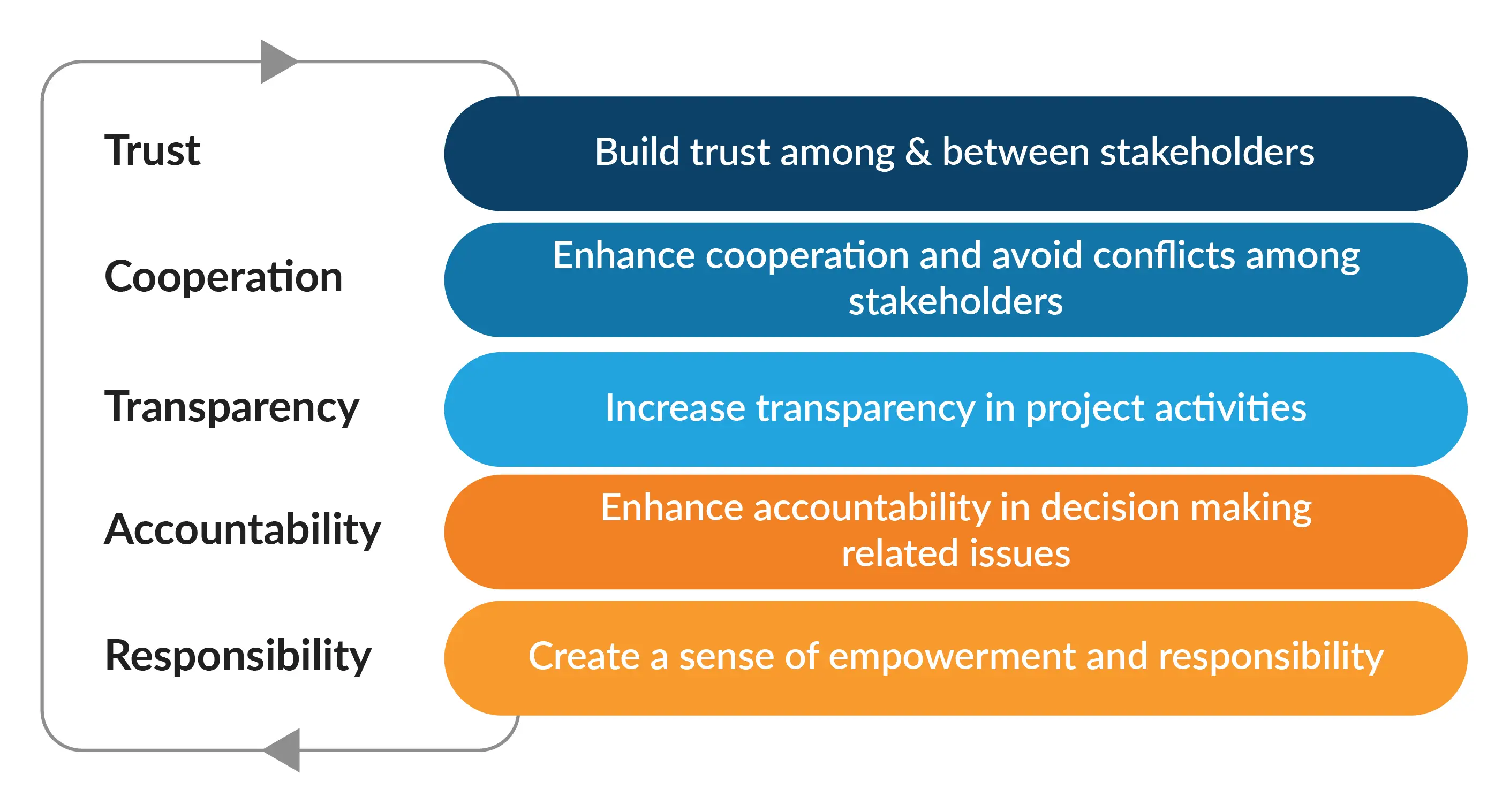
Builds trust: Regular, honest communication builds trust among team members and between leadership and employees. Trust is critical to organizational effectiveness, leading to a more cohesive, motivated, and committed workforce.
Fostering transparent communication and active-attentive listening ensures each team member feels validated and esteemed. This cultivates an environment where employees can openly articulate their ideas and concerns. Effective team communication is about encouraging team members to express themselves while emphasizing that each contribution holds significance.
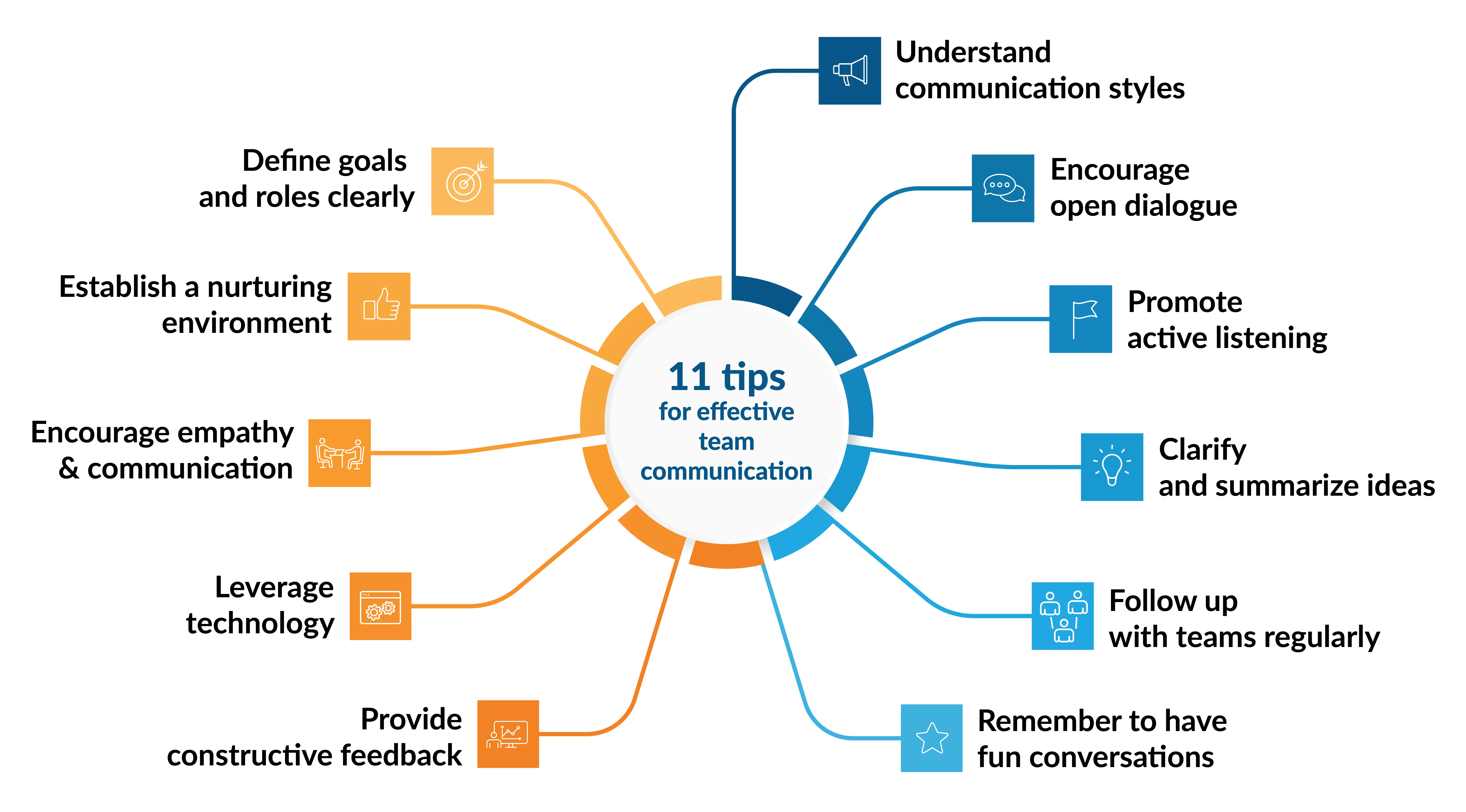
11 Tips to improve team communication
To create a strong foundation for clear communication, team-building activities help enhance trust among team members. These activities range from simple icebreaker exercises during meetings to meticulously planned team outings. The aim is to create a welcoming environment where team members feel like they belong to a supportive community. Here are some tips to improve team communication across the organization:
Encourage open dialogue: Foster an environment where employees feel comfortable voicing their ideas, questions, and concerns without fear of judgment. Hosting regular open forums or meetings can help people feel like they are part of a team.
Utilize the correct set of tools: Select communication tools like the instant messaging app Slack, comprehensive project management software, easy-to-create presentations software like Prezent, or other video conferencing tools that best suit your team's needs.
Promote active listening: Encourage team members to practice active listening, which involves paying full attention to the speaker, understanding their message, responding thoughtfully, and remembering the discussion. This can improve mutual understanding and reduce misunderstandings.
Set clear goals: Communicate goals, responsibilities, and deadlines clearly. A shared understanding of what is expected helps keep employees aligned and focused.
Foster a nurturing and positive environment: Building trust within the team encourages more open and honest communication. This can be achieved through team-building activities, celebrating successes, and showing genuine interest and respect towards each team member.
Provide constructive feedback: Feedback should be a routine part of communication, offered constructively, and aimed at fostering growth and improvement rather than merely pointing out mistakes.
Encourage empathy and communication: Understanding and acknowledging different perspectives within the team can enhance communication. Training sessions on emotional intelligence can be beneficial.
Adapt different communication styles: Recognize team members' different communication preferences and adapt accordingly. Some prefer emails, while others thrive in face-to-face interactions or dynamic group chats.
Clarify and summarize: When discussing complex issues in meetings, it’s helpful to summarize key points and action items to ensure everyone leaves with the same understanding.
Regular check-ins: Implement regular one-on-one or team check-ins to catch up on projects, address concerns, and adjust plans as necessary. This can prevent issues from escalating and keep everyone on track.
Engage in fun conversations: Team communication is important at work, yet engaging in fun conversations with team members and employees is equally essential to improve camaraderie and trust. This also helps build connections with different individuals by understanding their interests/hobbies/hidden talents.
Incorporating these tips into your team's routine can significantly enhance communication, collaboration, and effectiveness. Using communication tools and apps really helps improve team communication. It's super important and makes a big difference!
Role of presentations in enhancing team communication
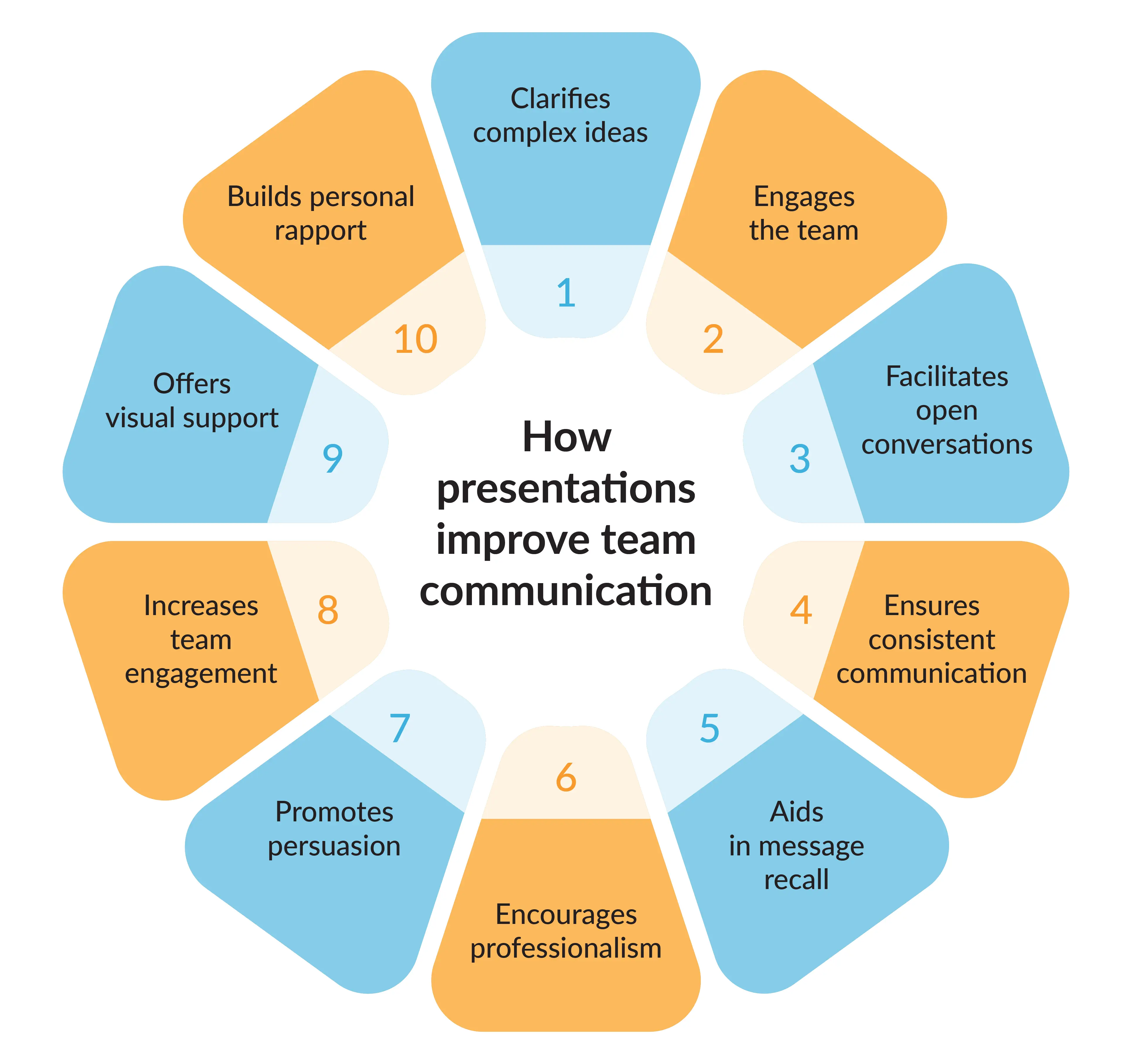
Incorporating effective presentations into team communication strategies can significantly improve the communication process's clarity, impact, and effectiveness, contributing to better teamwork and project outcomes.
Clarifies complex ideas: Presentations allow complex ideas, data, and concepts to be broken down into simpler, more digestible formats, enhancing team members' understanding.
Engages the team/audience: Well-crafted presentations can engage the team more effectively than written reports or emails, capturing attention through visuals, stories, and interactive elements.
Facilitates open conversation and discussions: Presentations often conclude with Q&A sessions or open discussions, providing a structured opportunity for team members to voice concerns, ask questions, and offer feedback.
Ensures consistency in communication: A presentation ensures that everyone receives the same information simultaneously, minimizing the risk of miscommunication and ensuring consistency in the message.
Aids memory and message recall: A presentation's visual and auditory aspects can help team members better remember critical points and details.
Encourages professionalism: A well-prepared presentation can convey professionalism and demonstrate a commitment to the topic, instilling confidence in the presenter and the shared content. Encourage your team members to create decks and present them to improve their presentation skills and help refine their public speaking skills.
Promotes persuasion: Presentations can be powerful tools for persuasion, allowing the presenter to use logic, emotion, and credibility to convince the audience of a particular viewpoint or action.
Increases team engagement and interaction: Presentations, especially those incorporating interactive elements like polls or live demonstrations, can increase engagement and make communication more dynamic and interactive.
Offers visual support: Visuals, charts, and graphs in presentations can support verbal communication, providing a clearer understanding of complex information through visual representation.
Builds personal rapport: Presentations allow the presenter to establish a personal connection with the audience, fostering trust and openness in team communication.
Using the right tools, teams can minimize misunderstandings and create an environment where every member feels respected and heard. Transparent communication among team members and active listening empower people to openly share their ideas and concerns, strengthening the team's unity and adaptability in today's fast-paced business environment.
Top AI tools to improve remote team communication
Many organizations invest time and money to improve cross-functional team communication. The following tools help with different aspects of presentation creation, from generating ideas and design to working together and communicating. These tools or platforms allow teams to work more efficiently and create visually appealing presentations. Here are some AI tools that enable teams to work cohesively and improve their team communication:
Google Slides allows team members to work together in real-time from any location. Its interface is easy to use for editing, commenting, and chatting within the presentation document. It is also easy to access and integrate with other software tools.
PowerPoint has evolved to include more collaborative and AI-powered features, especially in its online version. Teams can work together in real-time and receive AI suggestions for content, design, and layout.
Slack is a communication platform that indirectly supports the presentation creation process through integrations with tools like Google Slides and PowerPoint. Slack channels allow users to share updates, gather feedback, and discuss presentations without leaving the platform.
Prezent is a platform designed to make presentation creation easier with AI. It helps users turn ideas into compelling stories and visually engaging slides. It focuses on helping users reduce time spent designing presentations while ensuring consistency and alignment with brand guidelines. Teams can collaborate on presentations, share feedback, and create brand-aligned and impactful decks.
FAQ's on team communication
1. Why is strong communication important within your team?
Strong communication within your team is crucial for aligning goals, reducing misunderstandings, and ensuring everyone works efficiently toward common objectives.
2. What are effective types of team communication for remote teams?
Different types of team communication, such as video calls, team chat apps, and regular meetings, help remote teams stay connected and collaborate effectively.
3. How can poor communication impact team productivity?
Poor communication can lead to misunderstandings, reduced team productivity, and conflicts, making it harder for team members to work together effectively.
4. What are some ways to improve your team's communication skills?
Improving communication skills involves active listening, providing constructive feedback, and using tools like communication apps to ensure clarity and alignment.
5. How can team leaders foster a strong team communication culture?
Team leaders can encourage open dialogue, set clear communication guidelines, and create an environment where all team members feel heard and respected.
How can Prezent help you improve communication?
Even though Prezent might not directly boost team communication, it provides tools and insights to improve it. Improving team communication can be tough, but some tools can make it easier. These tools help teams communicate better and communicate their ideas effectively.
Communication Fingerprints: This feature helps you understand how you and your team communicate, making sure your message is delivered in the best way for different audiences.
Zenith Learning Workshop: Get tips and advice from industry pros on business communication. These workshops provide practical strategies to help you and your team communicate better and get along at work.
Prezent saves time creating slides so you and your team can focus on workshops. It encourages everyone to contribute, builds confidence, and helps improve communication.
The best B2B AI tools for enterprise teams: Features, pros and cons, pricing, and use cases
Find the best B2B AI tools for enterprise teams. Evaluate features, pricing, pros and cons, and use cases to choose tools that fit your workflows and deliver measurable impact.
11 best Genspark AI alternatives I tested for 2026
This guide covers the best Genspark AI alternatives for content, SEO, and presentations. Compare features, pricing, and real-world usability to find the right tool.
10 Best PopAI alternatives: Compare features, AI capabilities, pricing, and free plans
Find the best PopAI alternatives and AI presentation makers. Compare AI features, pricing, and free plans to create smarter, more professional presentations.
Best Plus AI Alternatives in 2026: Top 8 AI Presentation Tools
I tested the best Plus AI alternatives to see which tools actually create presentation-ready decks. Here are the top AI presentation tools worth using in 2026.
Nano Banana review: Evaluating strengths, workflow gaps, and AI solutions for enterprise presentations
Nano Banana review for enterprise presentations. Explore visual strengths, identify workflow gaps, and see how teams use AI to build faster, executive-ready presentations.
11 Best SlideShare Alternatives for Sharing Presentations
Explore the best SlideShare alternatives for creating and sharing presentations. Compare tools for hosting, collaboration, design, and presentation analytics.
An in-depth Beautiful.ai review covering features, pricing, pros, and limitations to help you decide if it’s the right presentation tool for your needs.