No items found.
No items found.

Communicators often categorize listening methods as either active or passive. Passive listening is taking in crucial points and storing them without providing feedback or responding to the message. Active listening is taking in information, processing it, and responding to it, so the speaker knows you grasped their main ideas. One of the most effective forms of active listening is reflective listening.
Explore how you can boost the productivity and collaboration of your teams through reflective listening when delivering presentations.
In most cases, when you communicate, you hear what the speaker says then jump in with your thoughts when they stop speaking.
However, with reflective listening, you actively listen to the speaker with the intent to understand what they’re saying. Then, you communicate the speaker’s ideas back to them to ensure you have a proper understanding of their meaning.
Reflective listening isn’t a game of question and answer. When you start asking questions, you’re also directing the conversation rather than listening Instead, it’s about reinforcing the ideas the speaker already gave, so they can hear those thoughts spoken back to them.
Reflective listening is also a foundational technique used by a life coach to help clients feel heard, validated, and empowered to explore their own insights.
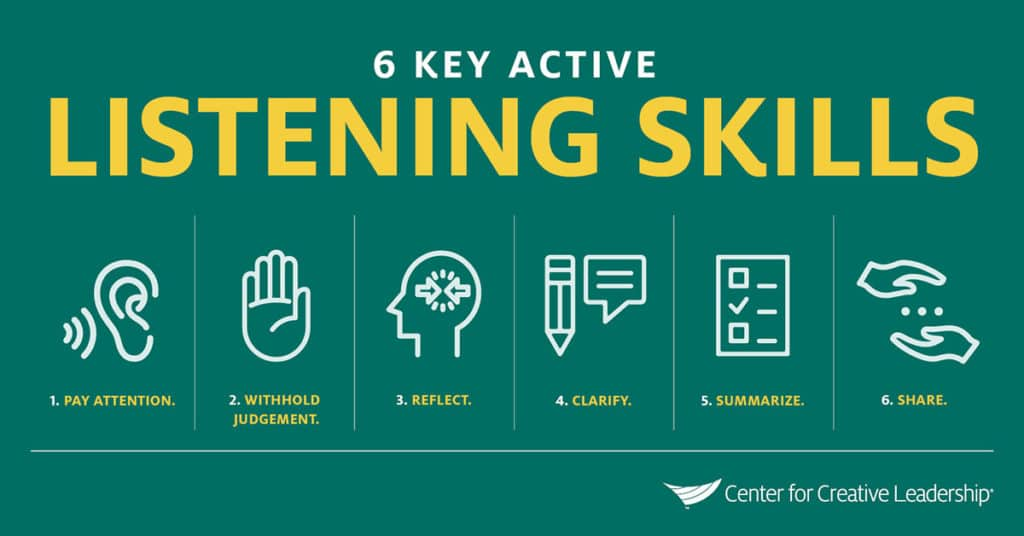
There are two primary reasons you should use reflective listening and include it in your communication training.
When you use reflective listening, you show the speaker you care about their message, which builds trust.
Building trust is essential when collaborating with your team as it helps each member feel more comfortable and willing to be honest in their communication. In addition, it creates a zone free of judgment where you build connections with your team and help them reach their full potential.
Through reflective listening, you can guarantee you fully understand the speaker and their intent. This can help you more accurately address their problems, offer more relevant solutions, and provide more personalized care.
For example, if your team is having a meeting on how to improve communication in the workplace, you want to ensure you fully understand each employee’s challenges. This way you can address them and offer solutions that will enhance their satisfaction rather than waste resources chasing false ideas of what you thought your team needed.
Follow these four steps to master the art of reflective listening in the workplace:
Reflective listening starts with active attention to the speaker and what they’re communicating. Communication goes beyond just the words they’re saying. It also takes into account how they’re saying it, which is their nonverbal communication.
About 70-93% of all communication is nonverbal. Without considering the facial, body, and vocal cues, you might miss out on a critical part of the message.

For example, the phrase “That’s great” can take on vastly different meanings depending on how the communicator changes their voice. For instance, if one of your team members responded with, “That’s great!” with a giant smile after you made an announcement, you can safely assume they’re glad. However, if they said, “That’s great.” in a monotone voice followed by a sigh and eye roll, you’ll know immediately that it’s, in fact, not great at all.
Some tips for actively listening include:
After you’ve taken in all the information the speaker provided, you should analyze it to understand the speaker’s deeper meaning. For example, what’s motivating their question or comment? Why are they asking it, and what answer might they be hoping for?
To fully understand their meaning, you must ignore all preconceived judgments about that person. Your guess of what motivates the speaker will cloud your ability to see the question from their perspective.
For example, if you feel like a team member dislikes you, you might be more inclined to believe their comments are spiteful rather than seeing the real issue behind the statement.
Tim Cook is an example of a business leader who demonstrates excellent communication skills, primarily due to listening attentively to speakers whenever he presents rather than trying to take over a presentation.
However, at this month’s Code Conference, he made headlines by responding to an audience member in a less than exemplary manner. He gave the famous response, “Buy your mom an iPhone,” after an audience member at the Code Conference asked about Android-to-iPhone messaging.
That reply received criticism because he completely missed the motivation behind the question. While he meant the phrase as a joke, he didn’t account for the audience member’s feelings.
If he had used reflective listening, he would have noticed the nonverbal cues and responded with greater empathy, addressing the underlying reason for the audience member’s frustrations.

The most important step in reflective listening is reflecting the message back to the speaker. This step is crucial as it shows you’re listening and gives the speaker a chance to correct any misunderstandings earlier in the communication.
There are two primary ways you can reflect the message to the speaker:
While mirroring works occasionally and for short phrases, paraphrasing tends to be more effective as it’s less noticeable than repeating the exact words back. The key to paraphrasing is ensuring you’re using their ideas and not adding your own questions or advice to the message.
After you’ve reflected on the speaker’s thoughts, wait for their feedback. Their feedback might be a simple nod or a verbal response that tells you how accurate or inaccurate your evaluation was.
Your business presentations can be more effective if you include time to actively listen to your audience, their needs, and their ideas, showing empathy and understanding.













