No items found.
No items found.

One of the challenges of delivering presentations is creating visual aids that help your listeners understand in a more intuitive way.
Experienced presenters accumulate a repertoire of tools: word clouds, tree maps, issue trees, etc., but one essential tool any business professional should have in their tool belt is the hypothesis tree.
Hypothesis trees are useful visualizations for communicating different ideas, explanations, or theories about a central topic in a visually clear and logically cohesive way. This guide will teach you what a hypothesis tree is, when you should use one, and how you can create your own.
Key Takeaways:
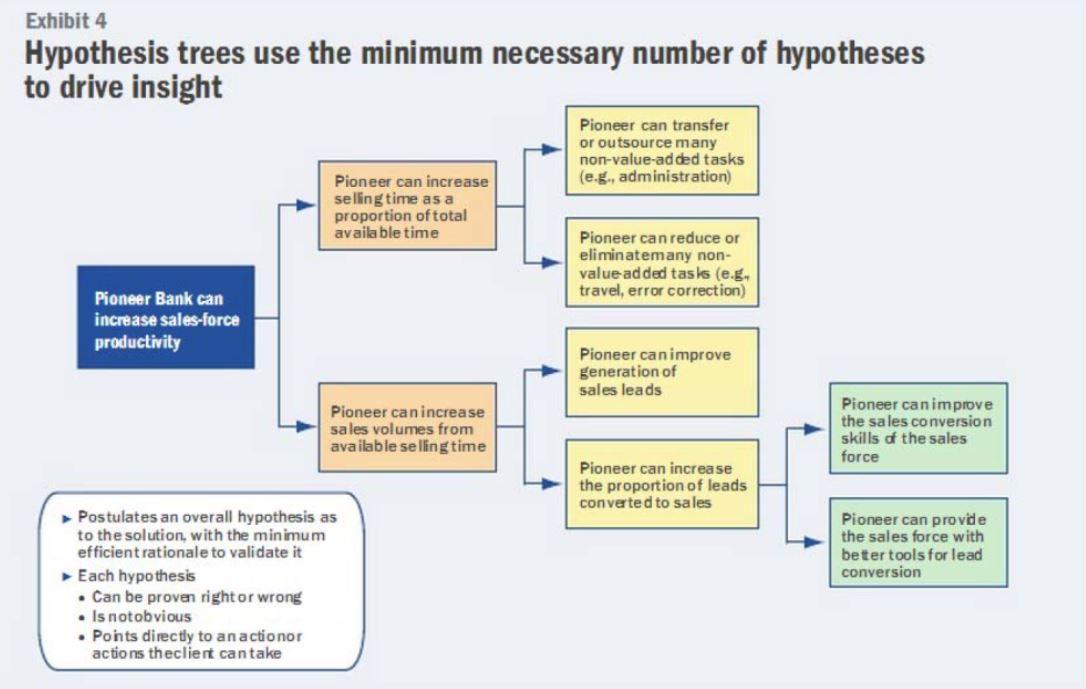
A hypothesis tree starts with the problem you’re trying to solve. From that central issue, a hypothesis tree visually connects various explanations (or hypotheses) to the issue in question. Each hypothesis can have its own sub-hypotheses and sub-sub-hypotheses in as much detail and variety as you need.
The key feature of a hypothesis tree is that it applies the scientific method to business scenarios. Each hypothesis is a falsifiable, testable explanation for the problem at hand, and by evaluating these individual branches with logical or practical tests, you gain greater insight into your company and your path forward.
Both visually and conceptually, hypothesis trees resemble issue trees. While issue trees start with a complex problem and break it down into simpler and simpler components, a hypothesis tree starts with a complex question and pursues simpler and simpler solutions. Because of that similarity, some businesspeople refer to issue trees as “diagnostic trees” and hypothesis trees as “solution trees.”
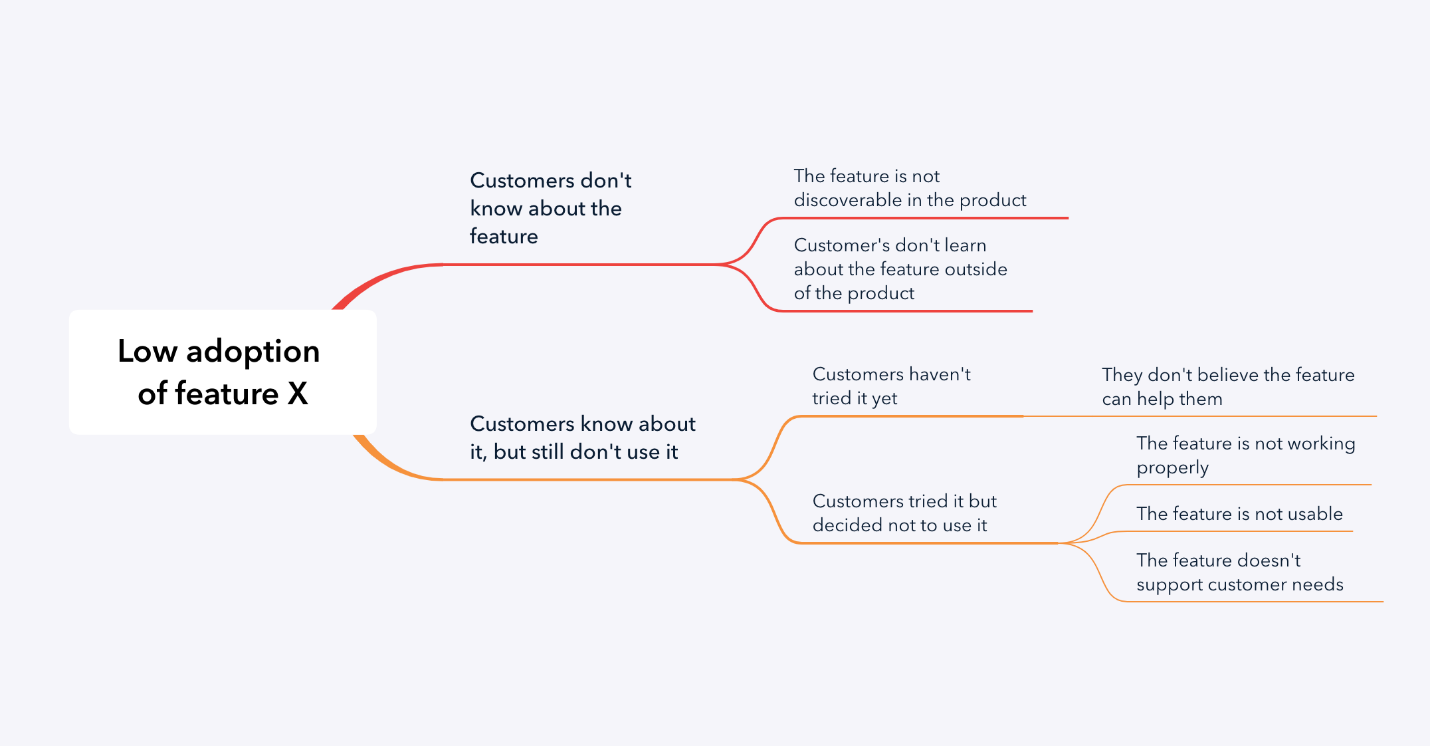
At some point in their life, everybody has experienced a presentation (in the workplace, school, online, etc.) that was so jam-packed with abbreviations, lingo, and convoluted analogies that they left feeling like they understood even less than they went in with.
When it comes to components of a presentation, a good rule of thumb for speakers is to use special tools when it makes things simpler, not when it makes things more complex.
This applies to special terminology, examples, and visual aids: the right visual aid should make your job easier, not harder. When it comes to presentations before you can persuade your audience to agree with you, you first have to make them understand what you’re trying to convey, and hypothesis trees are an easy and effective way to visually demonstrate solutions to an issue.
Not only are hypothesis trees helpful visual aids for increasing understanding, but they’re also useful tools for helping your audience conceptualize and test solutions. In the international bestseller, The McKinsey Mind, authors Ethan Rasiel and Paul N. Friga go as far as to claim that a hypothesis tree can solve a problem in a single meeting.
This is great news for presenters but also great news for your colleagues. You should use hypothesis trees to help your audience understand your topic and when they can help conceptualize and test solutions to a problem.
As you’re preparing for a presentation, you’ll identify situations that call for a hypothesis tree. The first step to creating your tree is to identify the problem you are trying to solve and what a solution for that problem would look like.
For example, if your workplace has unusually high printer paper usage, your central issue may be, “We can lower our paper usage.” Take that central issue and put it in a box:

From there, consider possible hypotheses: What could lead to lowering paper usage? Is your company printing redundant documents? Are you using paperwork for things you already have digital records of? Consider all the solutions to your issue.
If you’re leading a meeting, it would be helpful to consider these solutions ahead of time and prepare them as part of your presentation.
But hypothesis trees are more than presentation tools. They’re valuable collaboration drivers.
At this point, you may prepare an answer ahead of time or collect feedback and brainstorm possible hypotheses as a collaborative activity.
Whether you prepare hypotheses yourself or collect ideas from the room, you can organize those theories either vertically or horizontally from your central issue, but for visual clarity, they should be in alignment with each other. For example:
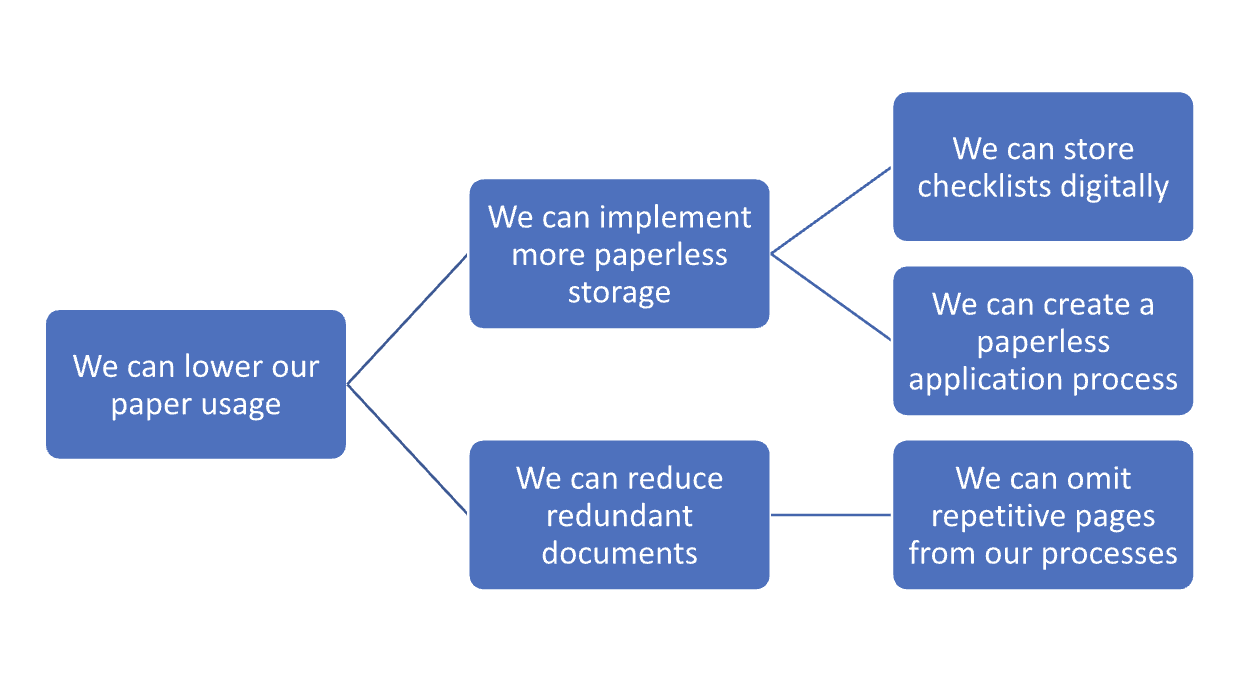
In this hypothesis tree, there are two main hypotheses: we can implement more paperless storage, and we can reduce redundant documents. Crucially, both of these hypotheses are falsifiable, meaning that you can test their validity, and if they are false, you can prove them false.
How would you prove them false? By disproving their sub-hypotheses. For instance, to disprove the statement “we can lower our paper usage,” you would have to disprove both “we can implement more paperless storage” and “we can reduce redundant documents.”
To disprove “we can implement more paperless storage,” you would have to disprove both “we can store checklists digitally” and “we can create a paperless application process.”
In this way, hypothesis trees not only provide a framework for searching for potential solutions to a problem (too much paper usage) but also a way of testing those solutions.
Humans have been telling stories since we developed the tools to paint on cave walls. Stories aren’t just the purview of fiction or entertainment. They’re essential for building relationships, making decisions, and conducting business.
As the Canadian Broadcasting Corporation puts it: “Storytelling is not just entertainment. It’s a fundamental part of being human.”
Storytelling belongs in business, and Prezent is on a mission to make presentations efficient, dynamic, collaborative, structured, and proficient.













